Start here: pick a route and check the ground
Choose the landing-page or app route and prove that its accounts, source material, and local tools are ready.
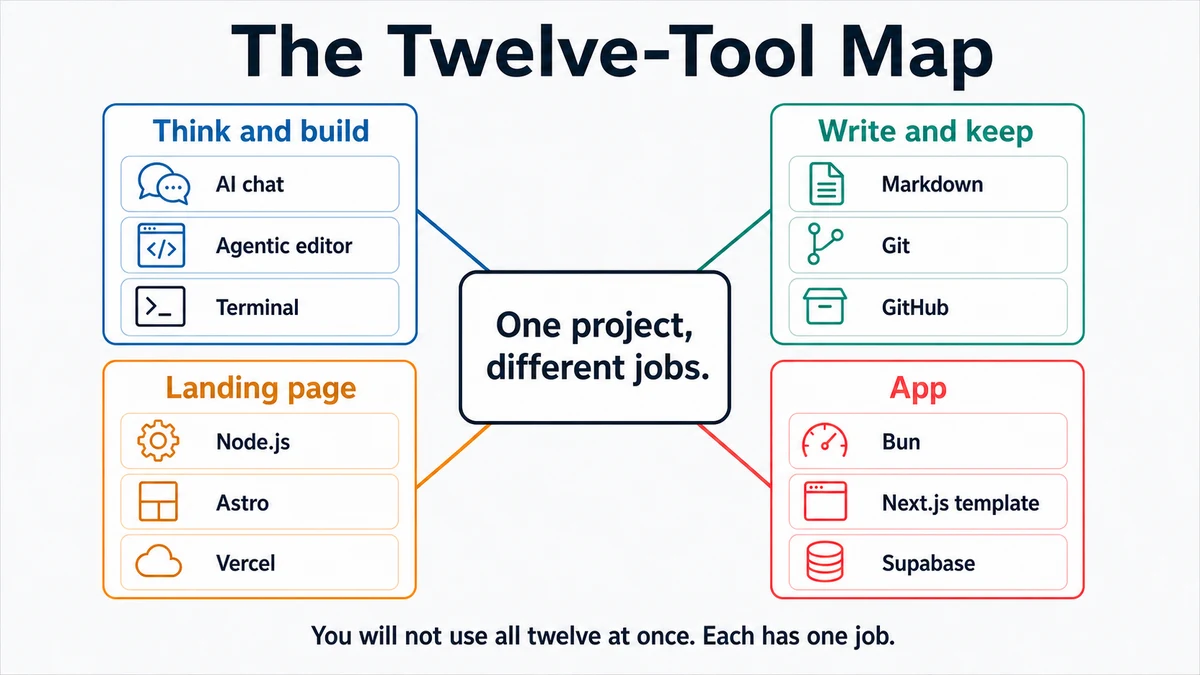
Requires: Nothing. This is the first page.
Done when: You have chosen one project route, recorded its definition of done, and either passed every preflight check or stopped with a specific missing item.
Step 0 — Check the ground
Choose one route:
- Landing page: turn real source material into an Astro site, review it locally, then publish it through GitHub and Vercel.
- Application: define your own small product, start from the course's tested Next.js template revision, and build one authenticated workflow.
There is no course demo app to copy. On the app route, your PRD supplies the user, problem, data, and acceptance checks.
Do not continue if you do not control the project folder or if it contains work you cannot safely change.
Steps
- Write the route you chose and one observable finish line.
A landing-page finish line is a reviewed production URL. An app finish line is one authenticated workflow that passes the PRD's acceptance checks in production.
- Check the route's source material.
| Landing page | Application |
|---|---|
| Real text, images, logo, links, and contact details | One user, one job, one core data object, and clear non-goals |
| Permission to publish every asset | Permission to create the required provider accounts |
| Known repository name and visibility | A separate repository name and visibility |
- Check the shared local tools.
git --version
node --version
If you chose the app route, also check the package manager used by its tested starter:
bun --versionA version string is a pass. “Command not found” is a stop; use the macOS setup or Windows setup page.
- Confirm that GitHub works. The landing-page route also needs a Vercel account. The app route later needs Supabase, Vercel, and a Google account that can configure OAuth.
- Open only the intended project folder in your editor or coding agent. Check the full path before granting write access.
- Ask the agent for a preflight report without changing anything:
Context: I am starting the [landing-page/app] route. The intended project
folder is [path]. My finish line is [observable result].

Inspect only. Do not install, create, edit, delete, commit, connect, or
deploy anything. Report:
1. the folder you inspected,
2. the Git, Node, and package-manager checks that apply,
3. the accounts and source material still required,
4. any existing files that could be overwritten,
5. PASS or STOP for each item.

Finish with a short list titled "Human decisions needed".- Continue to Project: a landing page or Project: an app. Open reference lessons only when the project route sends you there.
Approval gate
Read the preflight report yourself. Approve the route only when the folder, repository visibility, source-material rights, accounts, and finish line are correct. Approval here authorizes planning; it does not authorize installs, external connections, or deployment.
Verify
You can answer all five questions:
- Which route am I taking?
- What exact result means I am done?
- Which folder may the agent change?
- Which external accounts will this route use?
- What is missing, if anything?
If any answer is unclear, the preflight has not passed.
Save point
Record the route, finish line, intended repository, and unresolved items in the landing-page project brief or the app PRD. Do not commit credentials or private account details.
If it fails
- A command is missing: use the relevant setup page and rerun only that check.
- The folder is wrong or contains unrelated work: close it and open a new, clearly named folder.
- An account is inaccessible: recover it before the workshop or project session.
- Source material is missing or cannot be published: mark the exact gap. Do not ask the model to invent company facts.
- You are unsure which route fits: start with the landing page if the outcome is primarily public information; choose the app only when a signed-in user must create or change data.