reference Infographic library Browse every course infographic and open the production prompt, provenance, accessibility text, and review record behind it.
This page collects all 31 teaching visuals. Each prompt-and-review link opens the source specification in the repository, including provenance, the production prompt, alt text, caption, and review record.
What AI is
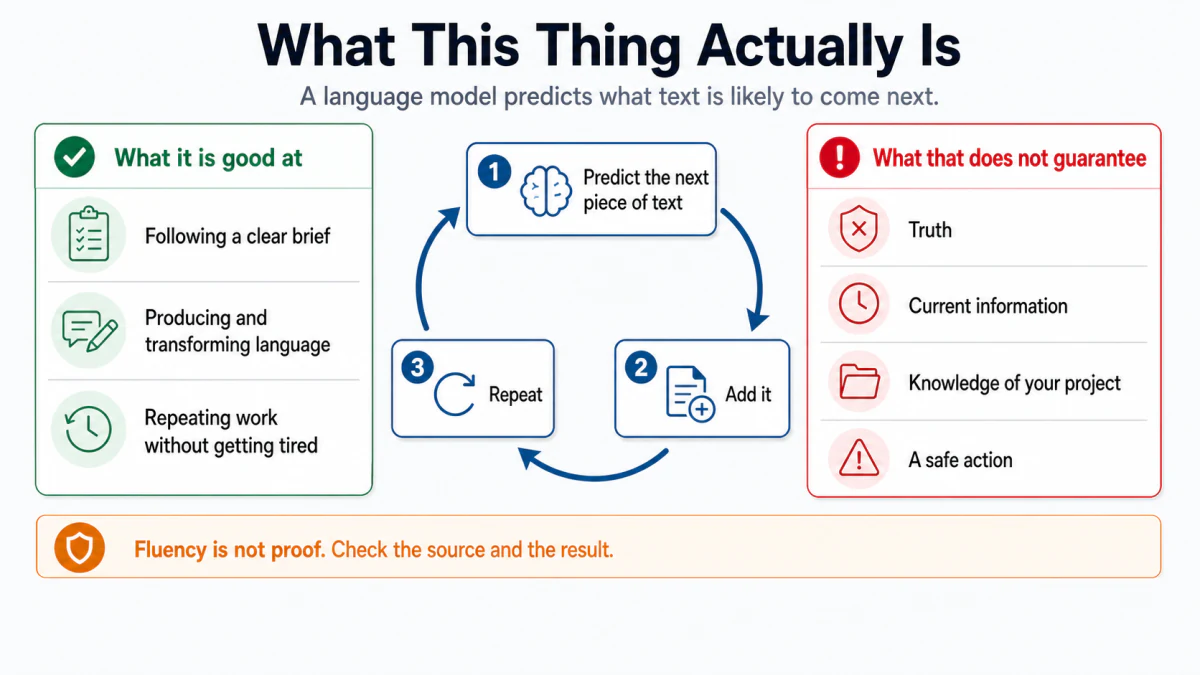
What This Thing Actually Is
A next-text prediction loop is flanked by useful capabilities and by things fluency cannot guarantee. Prompt and review
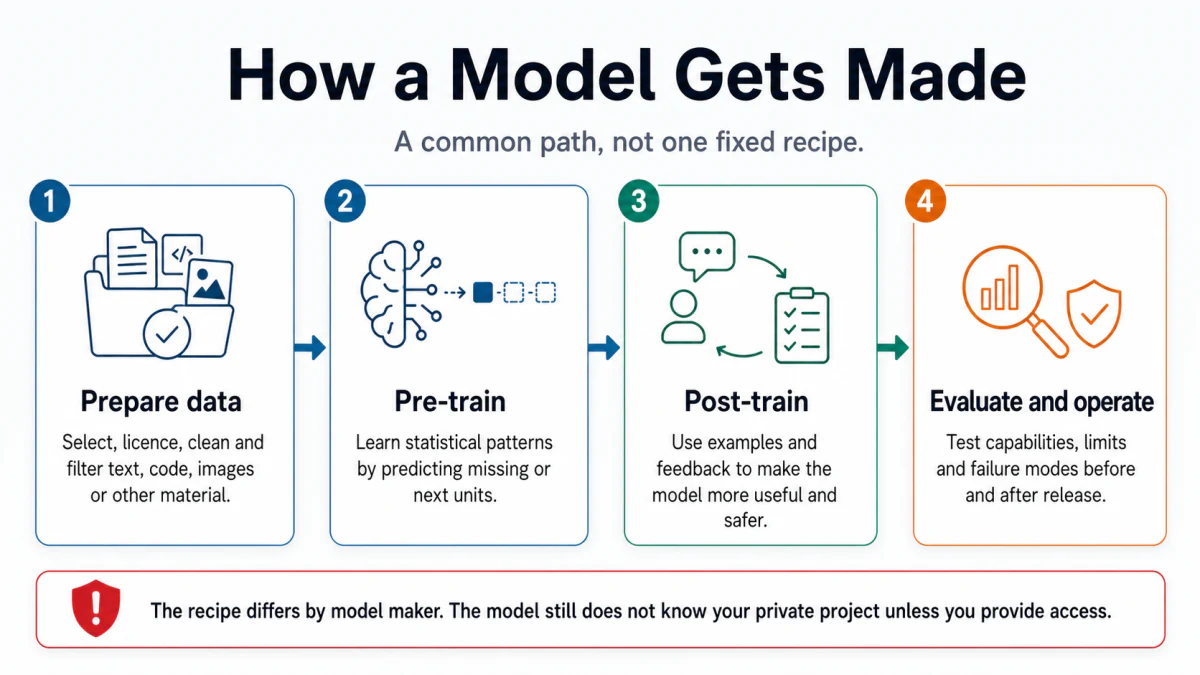
How a Model Gets Made
A representative four-stage path moves from prepared data through pre-training, post-training, and evaluation. Prompt and review
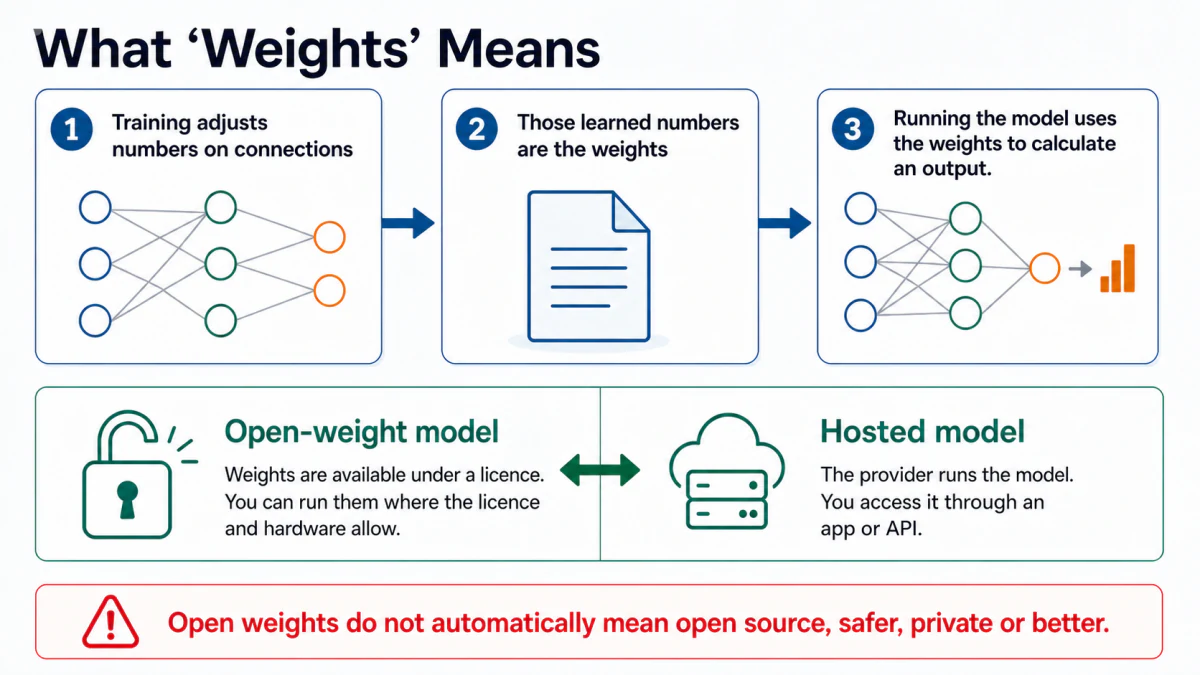
What “Weights” Means
Training adjusts numerical weights, which are then loaded to calculate outputs, with open-weight and hosted access compared. Prompt and review
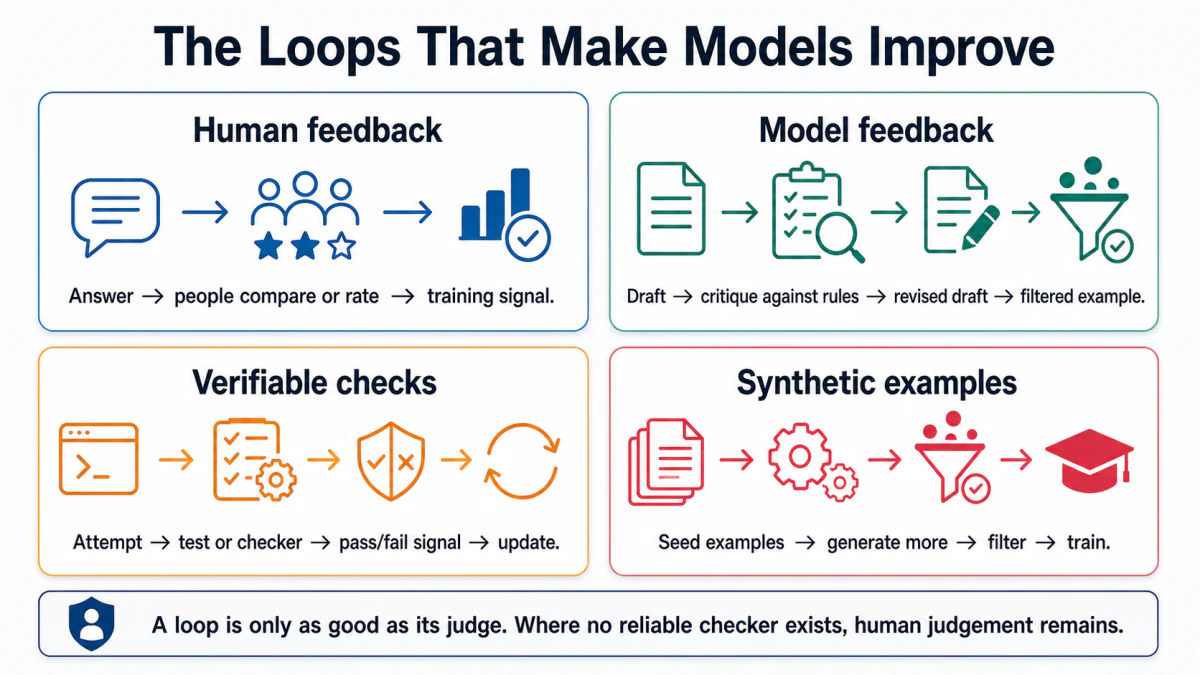
The Loops That Make Models Improve
Four feedback loops use people, model critiques, verifiable checks, and filtered synthetic examples. Prompt and review
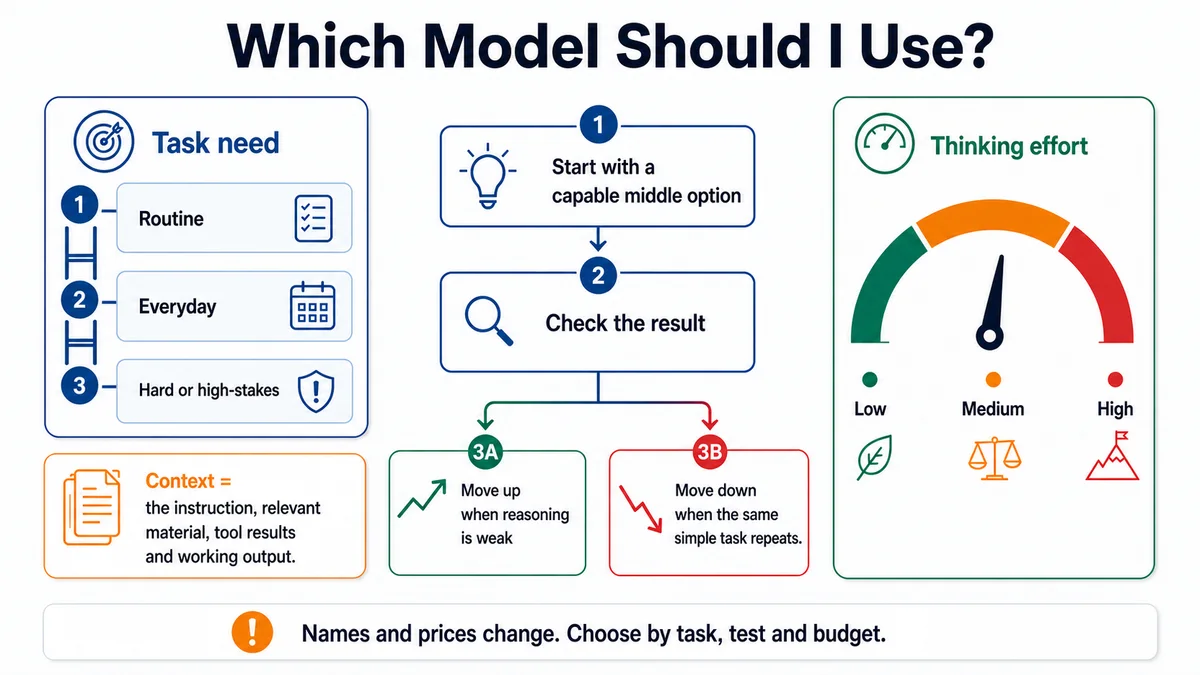
Which Model Should I Use?
Model capability and thinking effort are shown as separate controls, followed by a test-and-adjust loop. Prompt and review
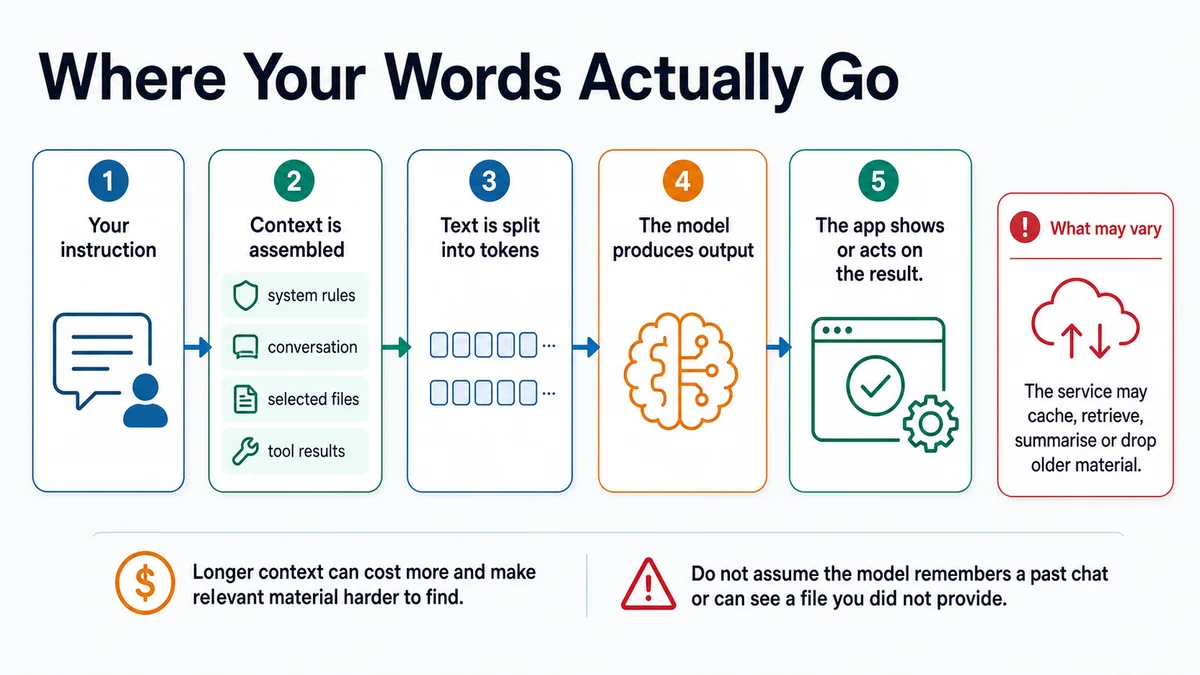
Where Your Words Actually Go
A request moves through context assembly, tokenisation, and model output, with caching and retrieval shown as variable. Prompt and review
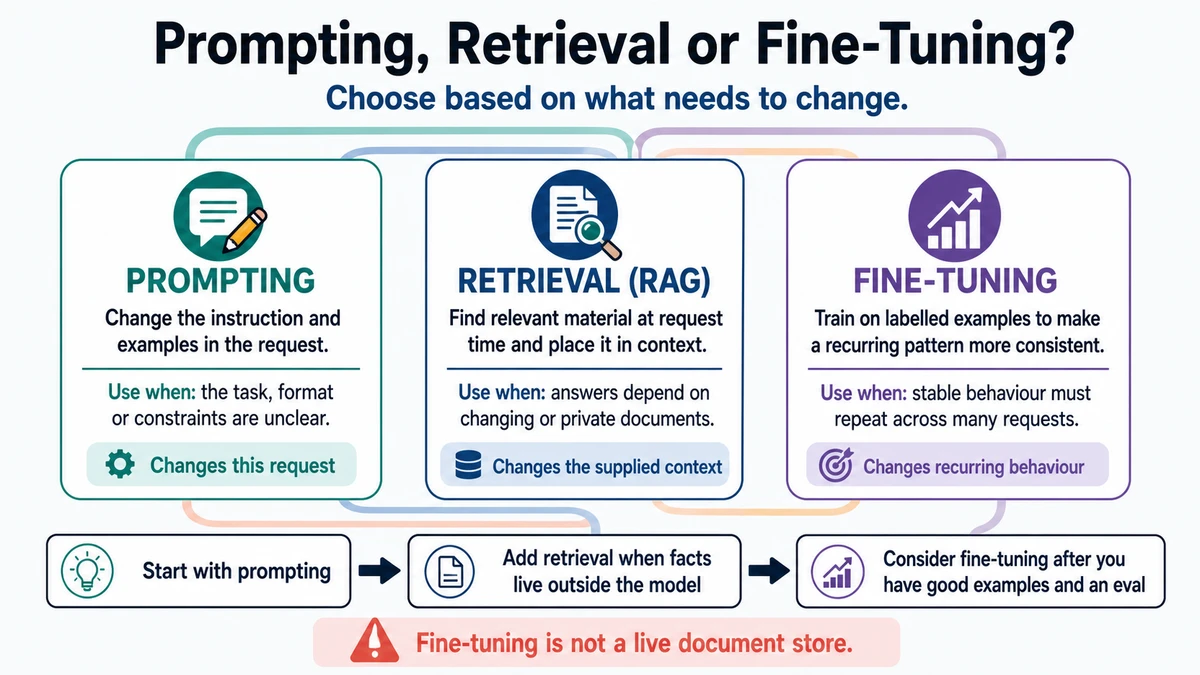
Prompting, Retrieval, or Fine-Tuning?
Three connected columns compare prompting, retrieval, and fine-tuning by what each changes and when it is useful. Prompt and review
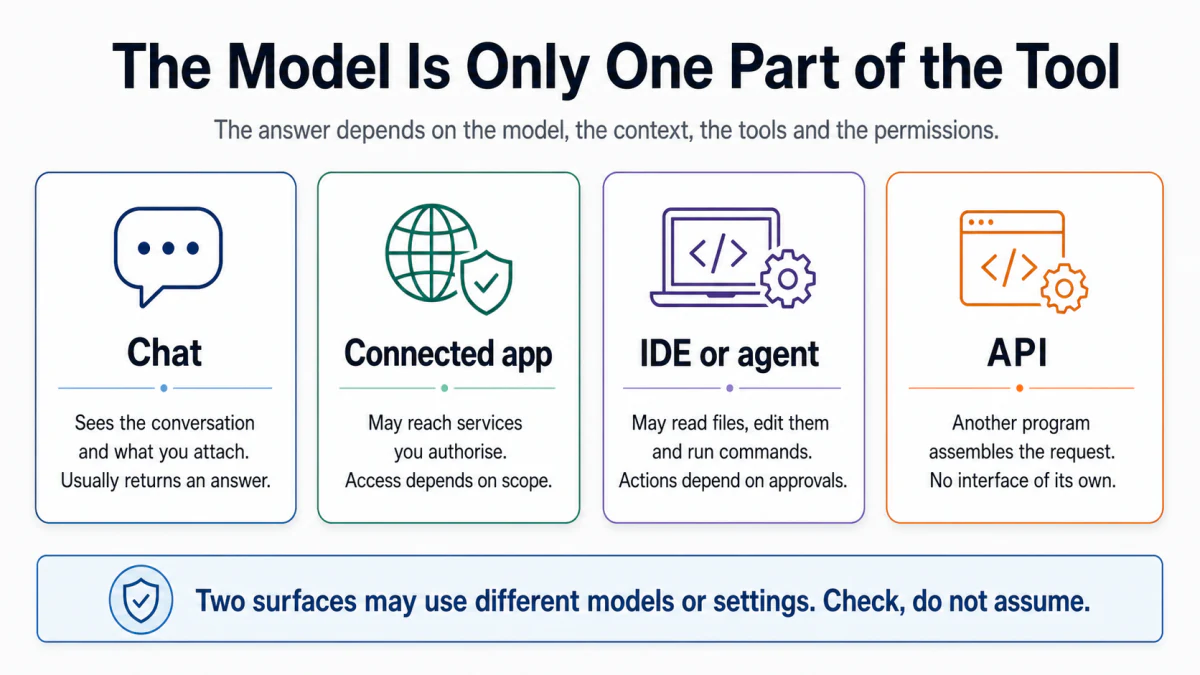
Where you use it
Chat, connected apps, IDE agents, and APIs are compared by context, tools, and permissions. Prompt and review
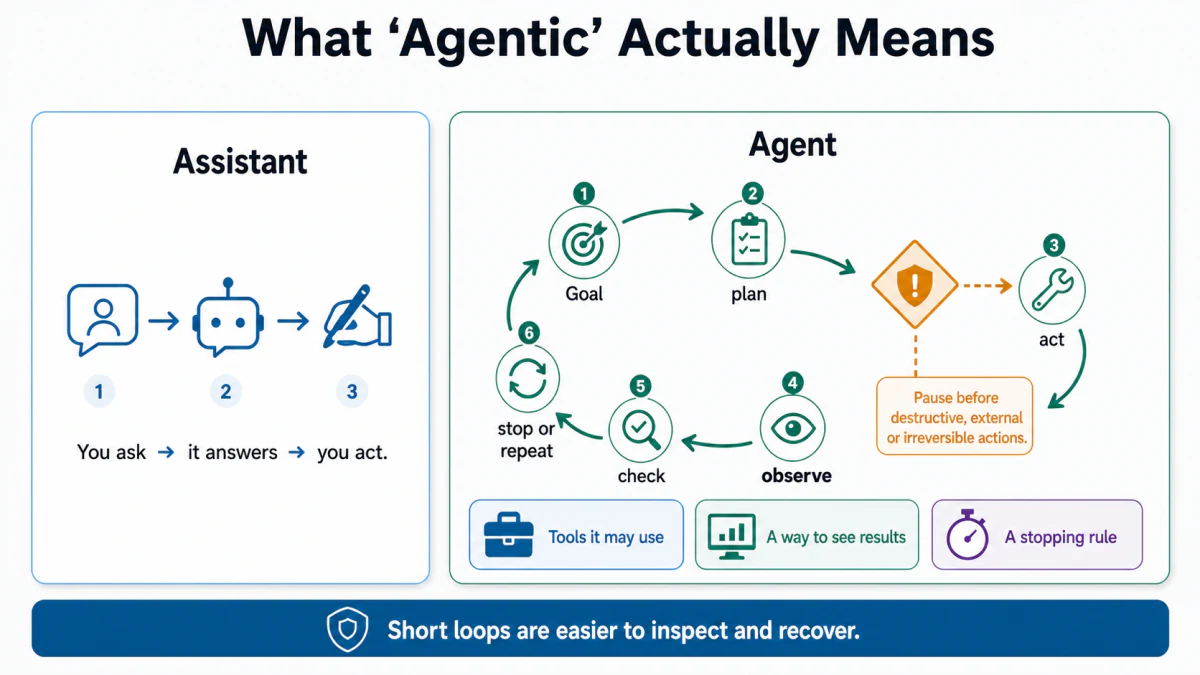
What “Agentic” Actually Means
A one-turn assistant is contrasted with an agent that plans, acts, observes, and checks inside a controlled loop. Prompt and review
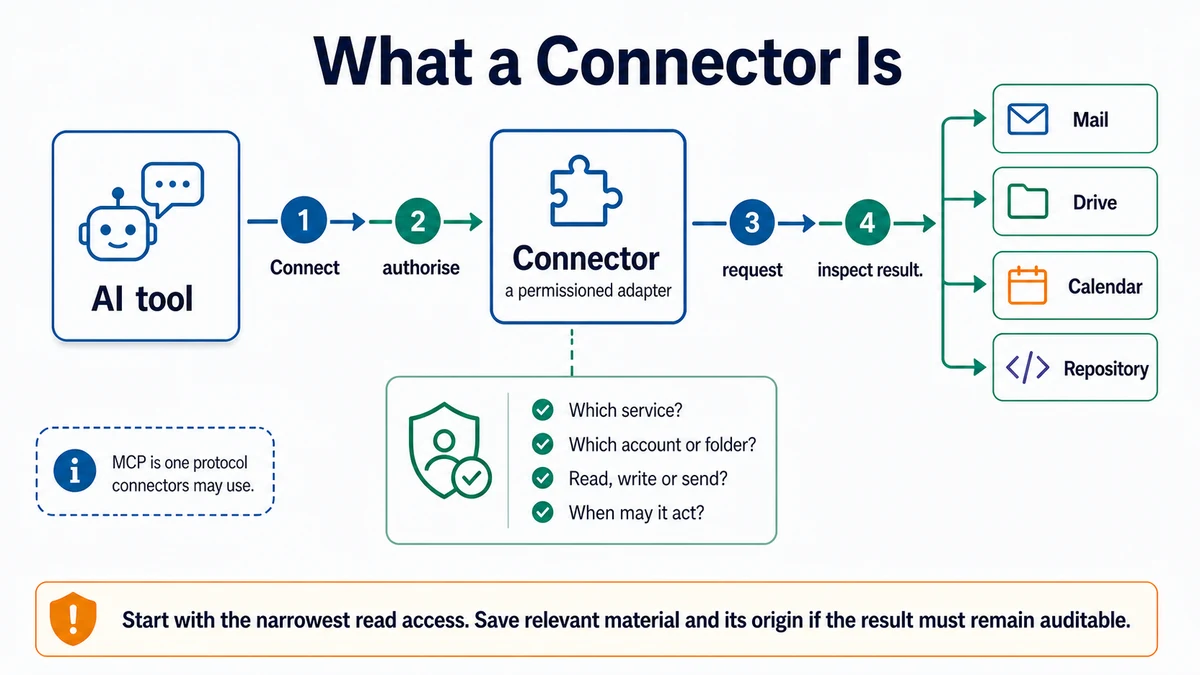
What a Connector Is
An AI tool reaches external services through a connector with explicit scope and permission controls. Prompt and review
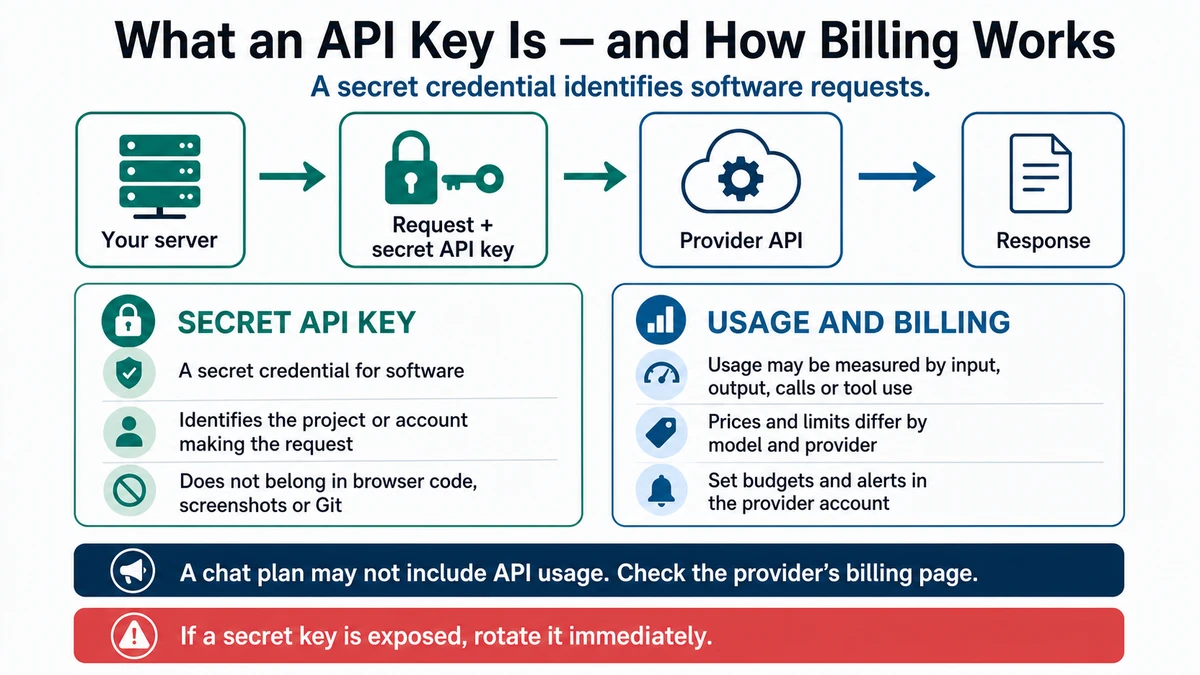
API Key and Billing
A server sends a request and secret API key to a provider API, beside cards explaining credential safety and provider-dependent usage billing. Prompt and review
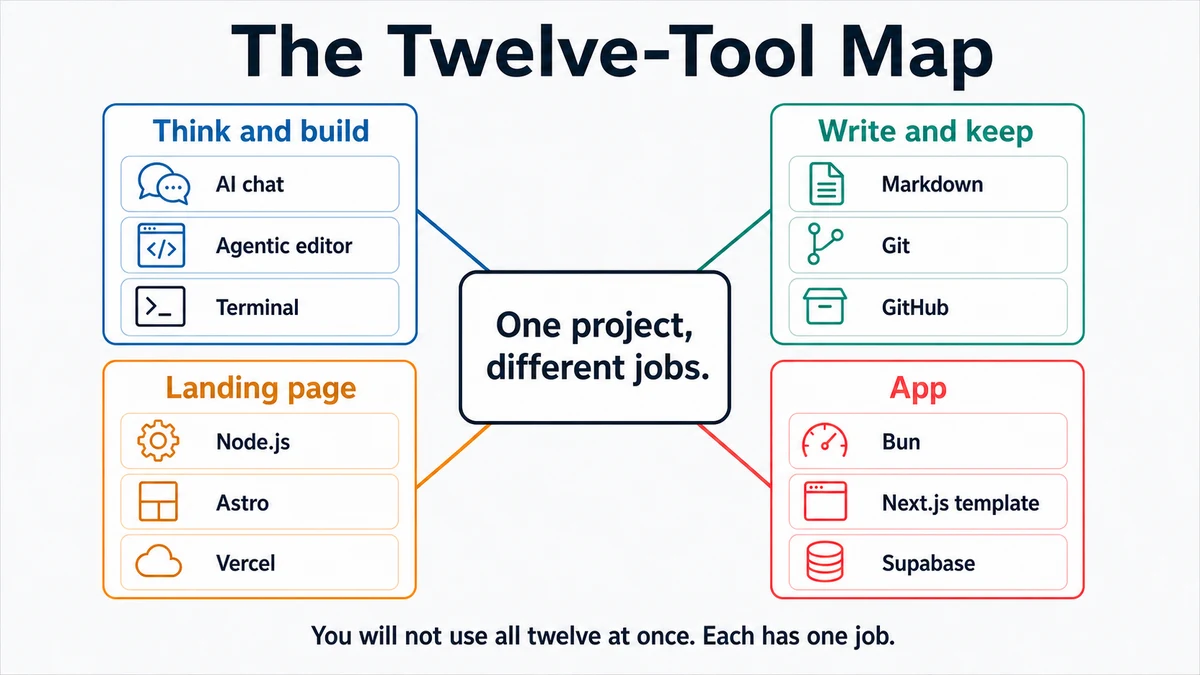
The machine
Twelve course tools are grouped by thinking and building, writing and keeping work, landing-page work, and app work. Prompt and review
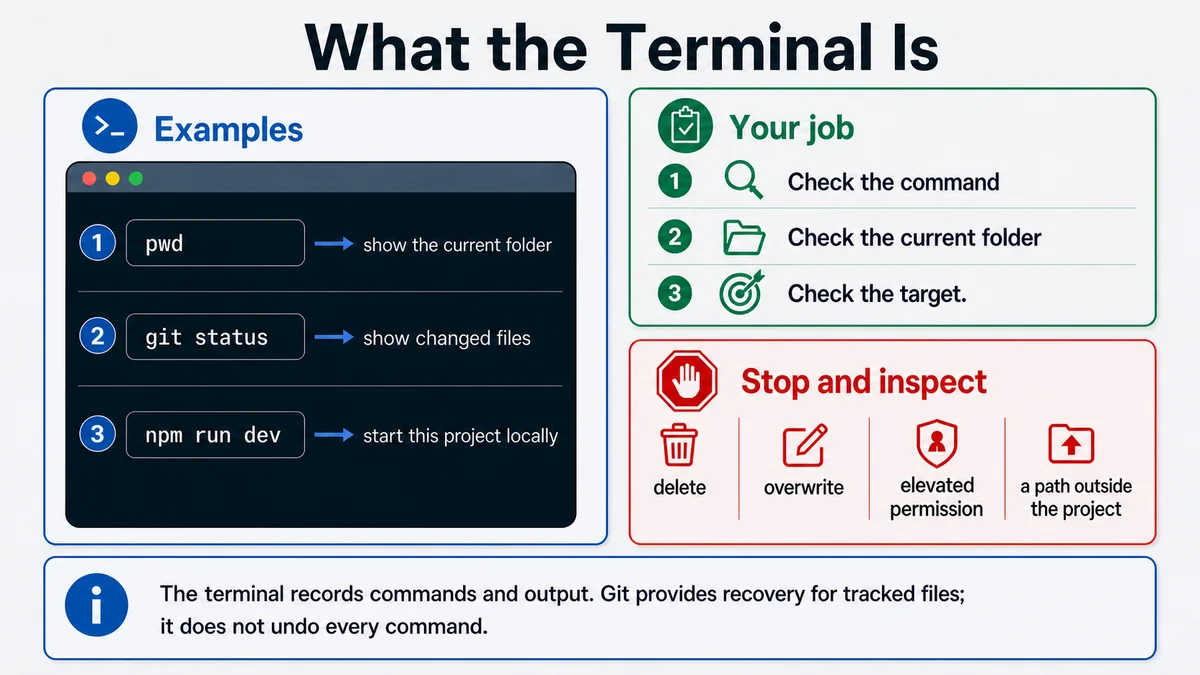
What the Terminal Is
A terminal shows three example commands and a checklist for reviewing the command, folder, and target. Prompt and review
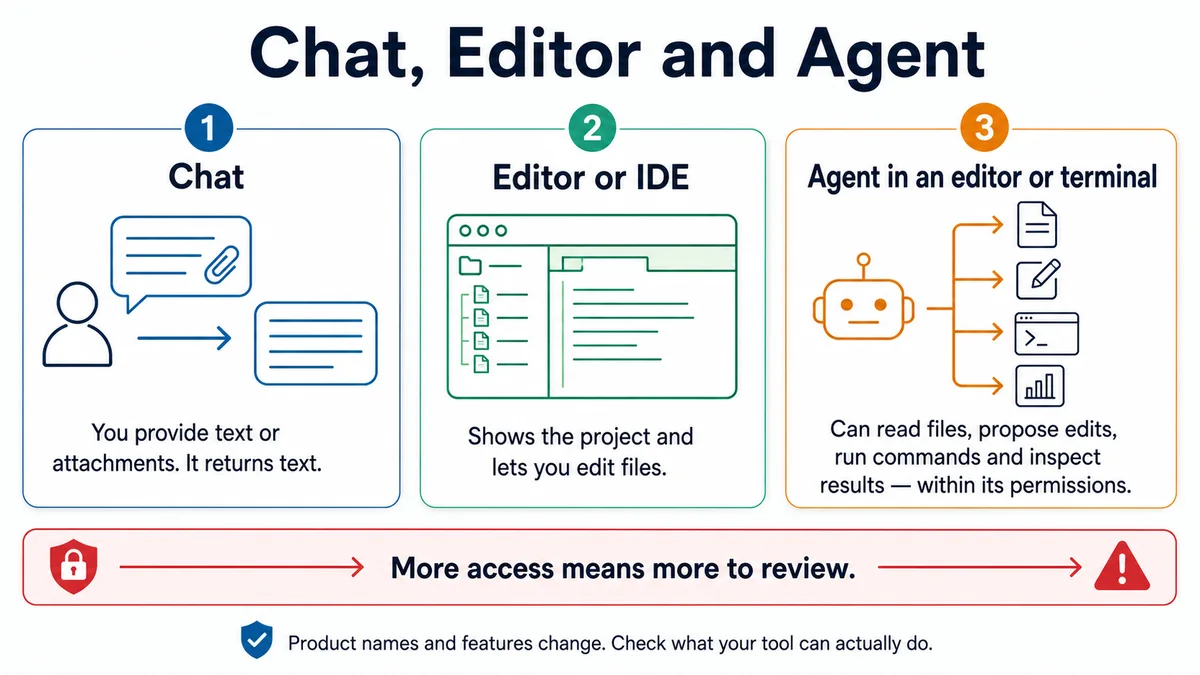
Chat, Editor and Agent
Chat, an editor, and an agent are compared by their access to project files and commands. Prompt and review
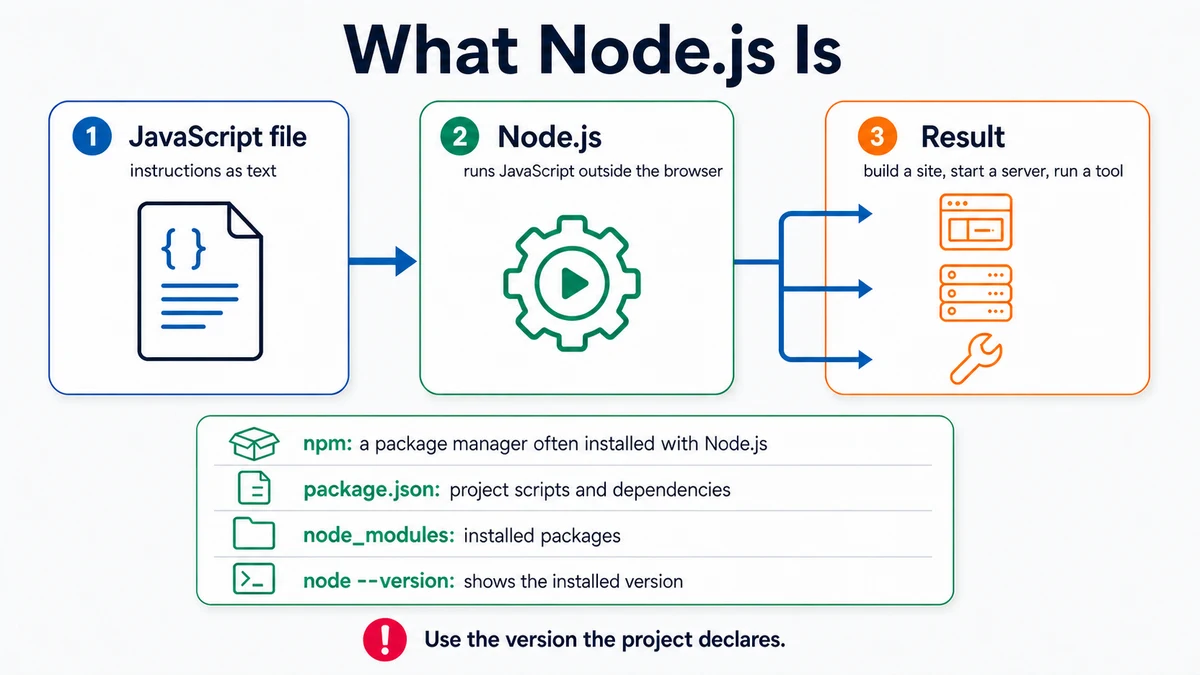
What Node.js Is
A JavaScript file passes through the Node.js runtime to produce a build, server, or tool result. Prompt and review
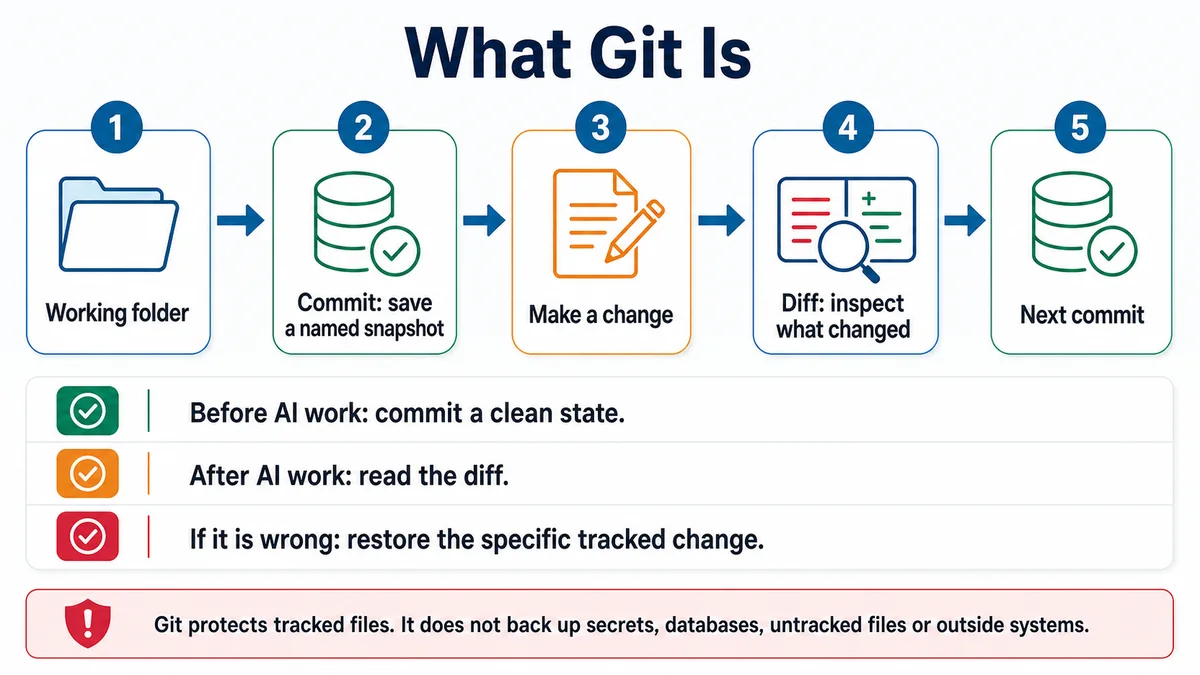
What Git Is
A Git timeline shows a clean commit, a change, a diff, and a second commit. Prompt and review
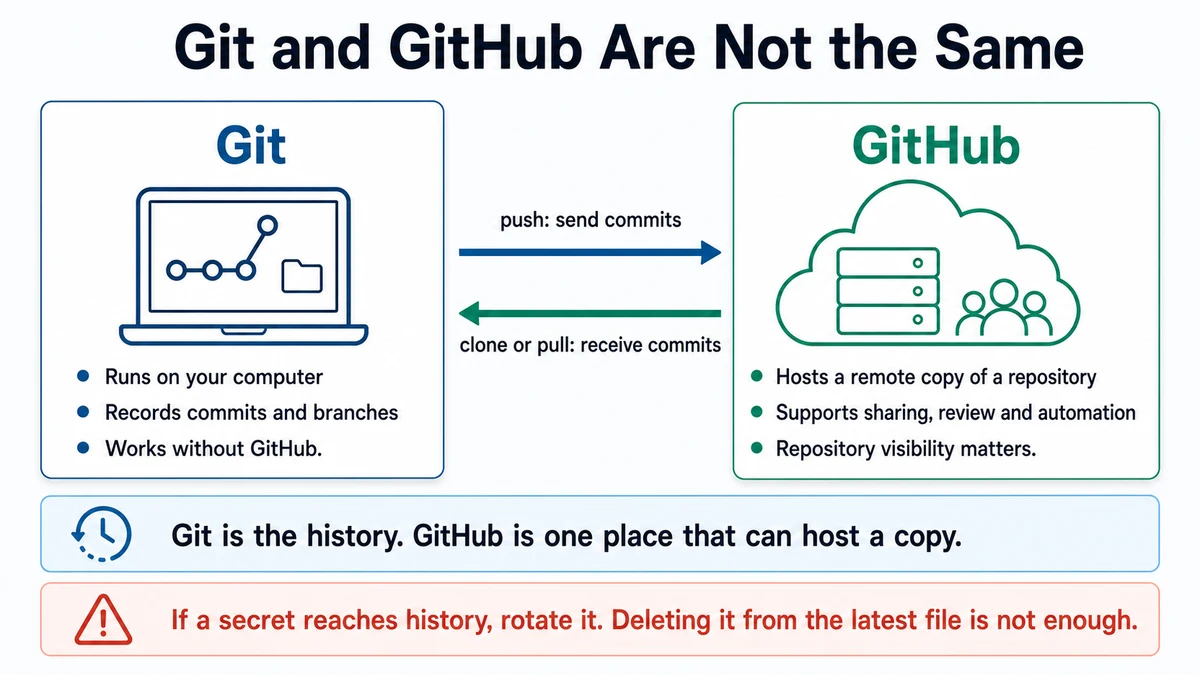
Git and GitHub Are Not the Same
Local Git history is connected by push and pull arrows to a repository hosted on GitHub. Prompt and review
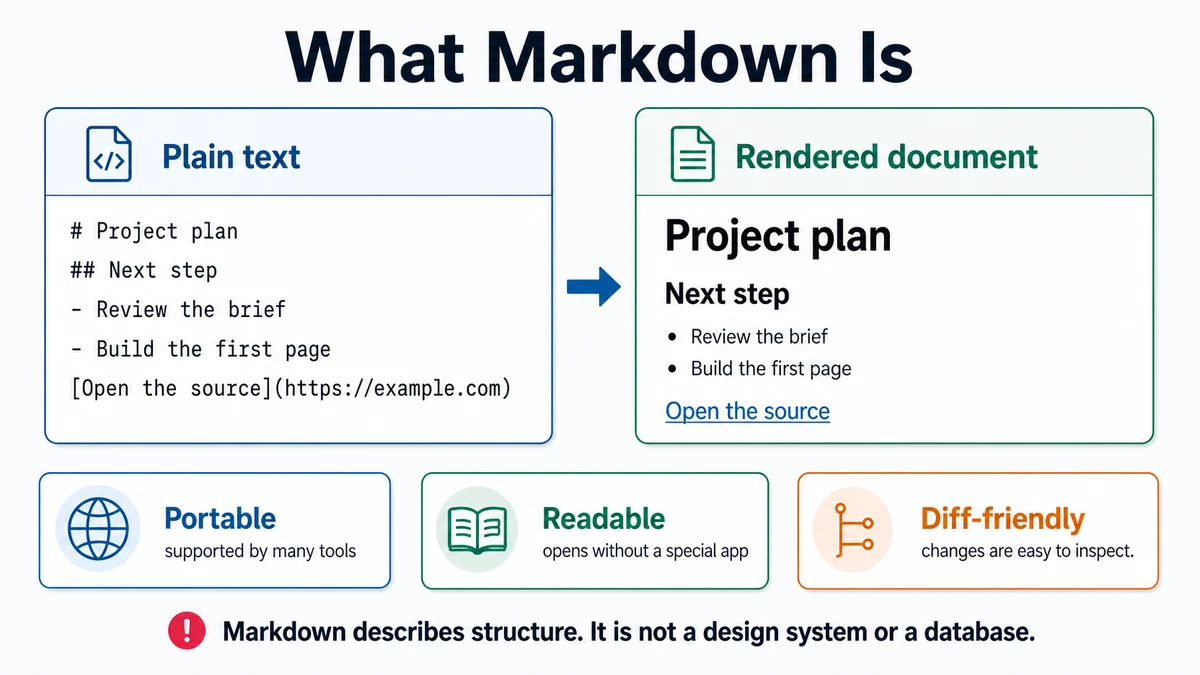
What Markdown Is
The same project plan is shown as raw Markdown and as a rendered document. Prompt and review
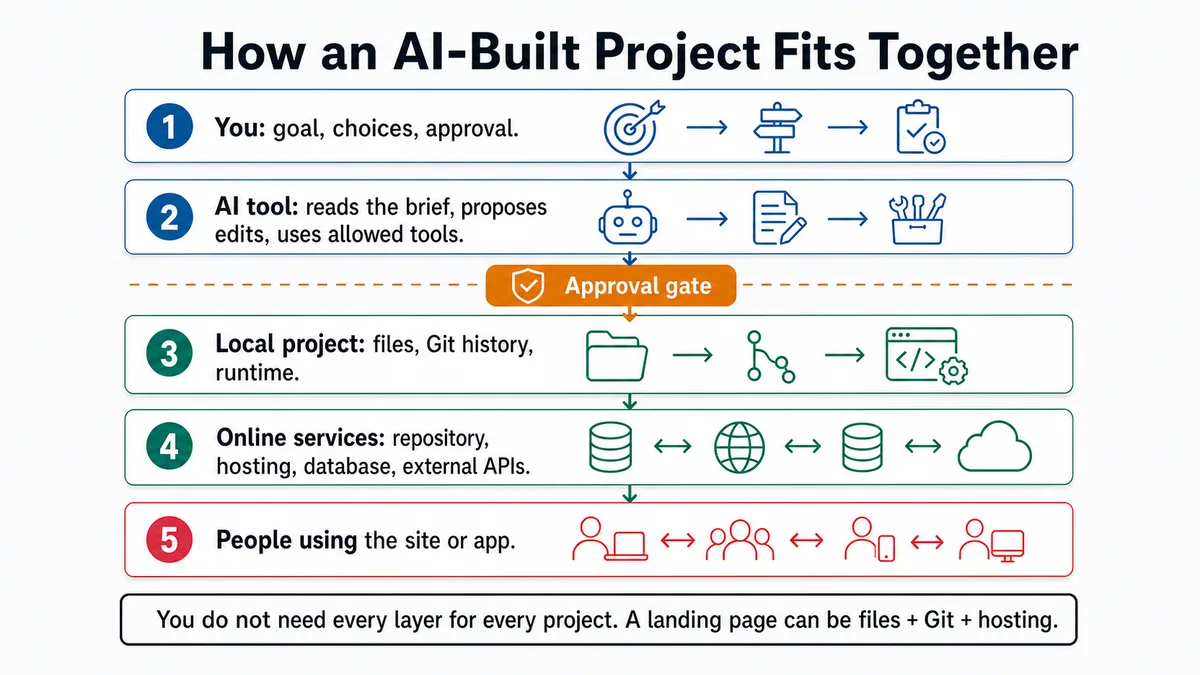
How an AI-Built Project Fits Together
A person, AI tool, local project, online services, and end users are connected in layers with an approval gate. Prompt and review
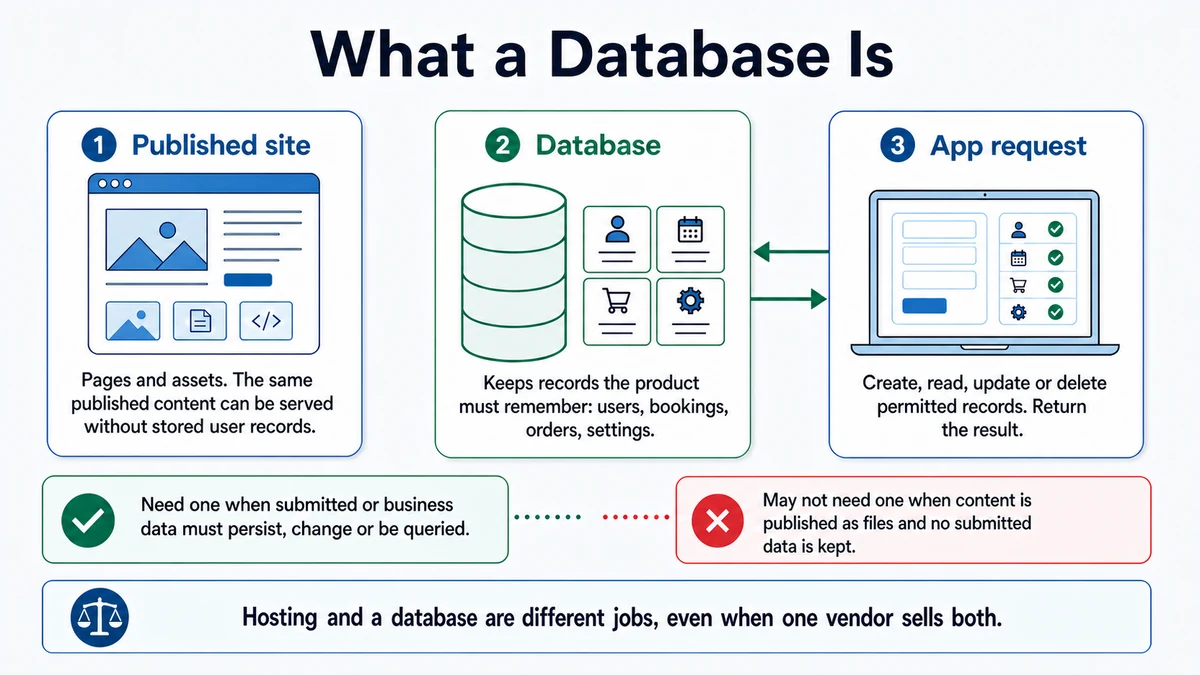
What a Database Is
A published site is contrasted with an app that stores and retrieves persistent records from a database. Prompt and review
Project: a landing page
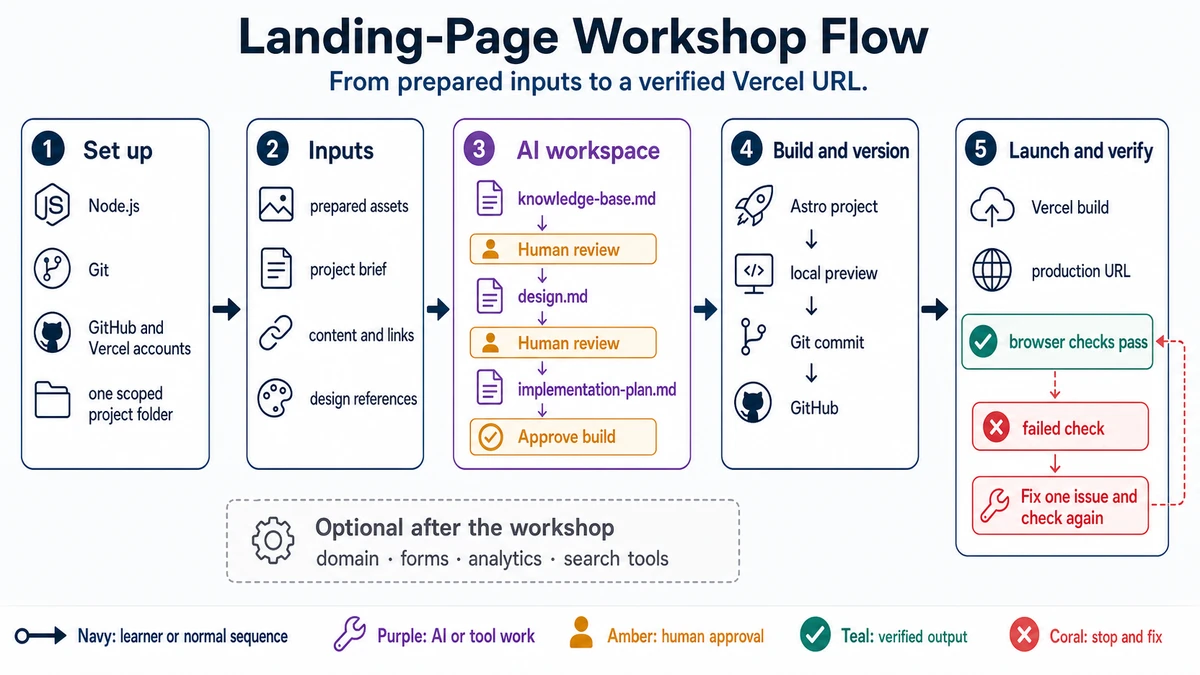
Landing-Page Workshop Flow
Five workshop stages move from setup and prepared inputs through human-reviewed planning, an Astro build, GitHub, Vercel, and passing browser checks. Prompt and review
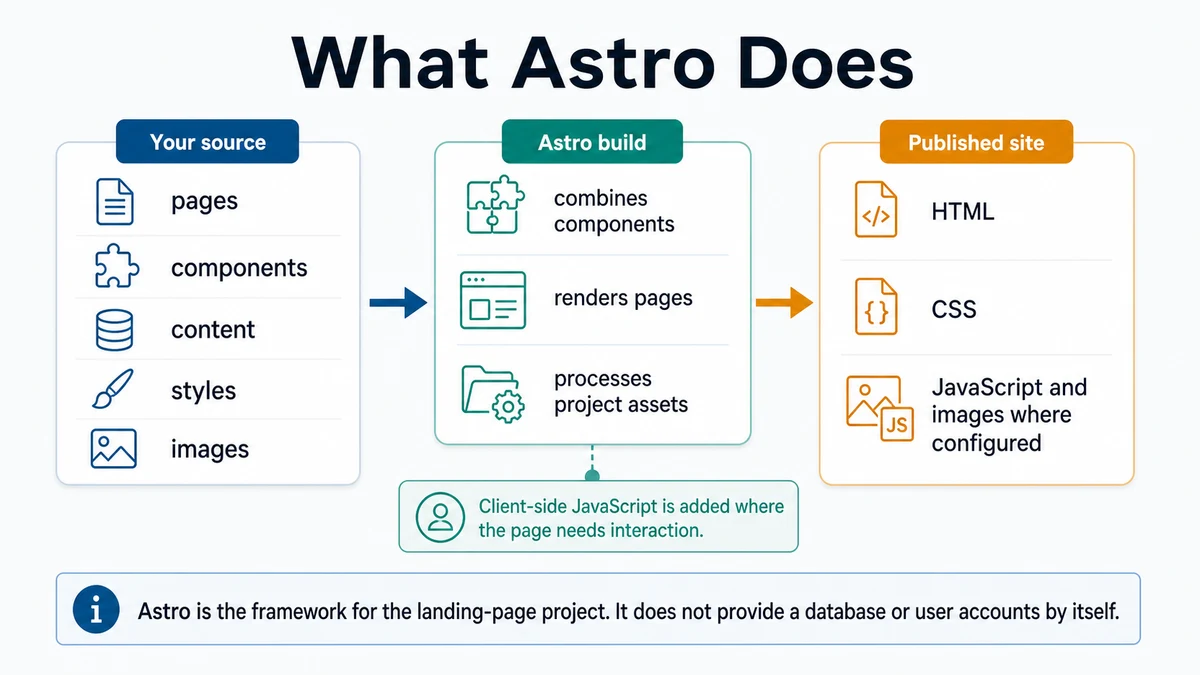
What Astro Does
Astro turns project pages, components, content, styles, and images into a published website. Prompt and review
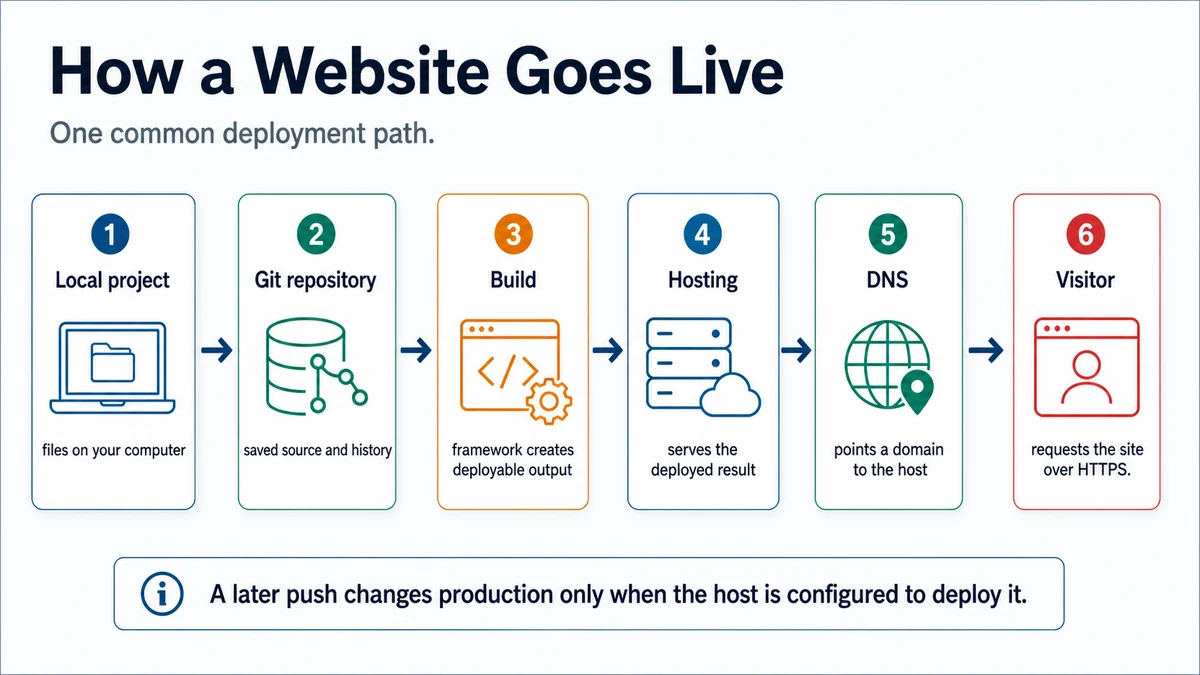
How a Website Goes Live
A common path moves from local source through Git, build, hosting, and DNS to a site visitor. Prompt and review
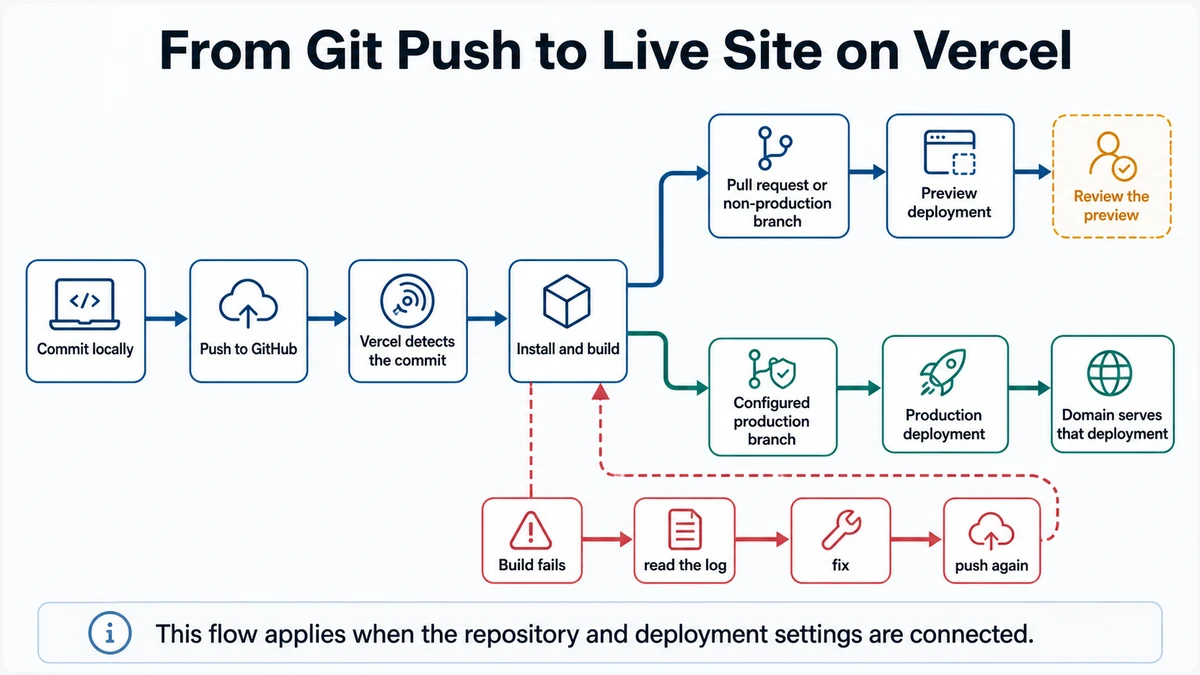
From Git Push to Live Site on Vercel
A connected Git repository produces Vercel preview and production deployments, with a review gate and failed-build loop. Prompt and review
Project: an app
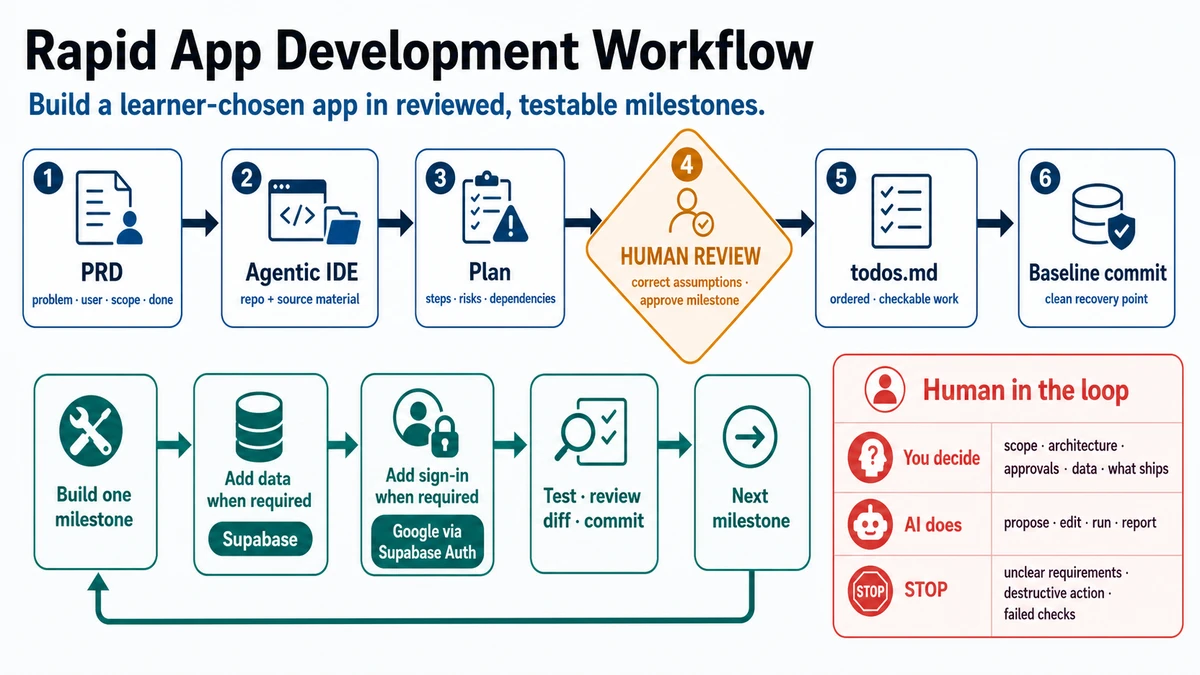
Rapid App Development Workflow
A two-row app workflow moves from a PRD through human-reviewed planning and a baseline commit, then loops through bounded builds, optional data and sign-in, testing, diff review, and commits. Prompt and review
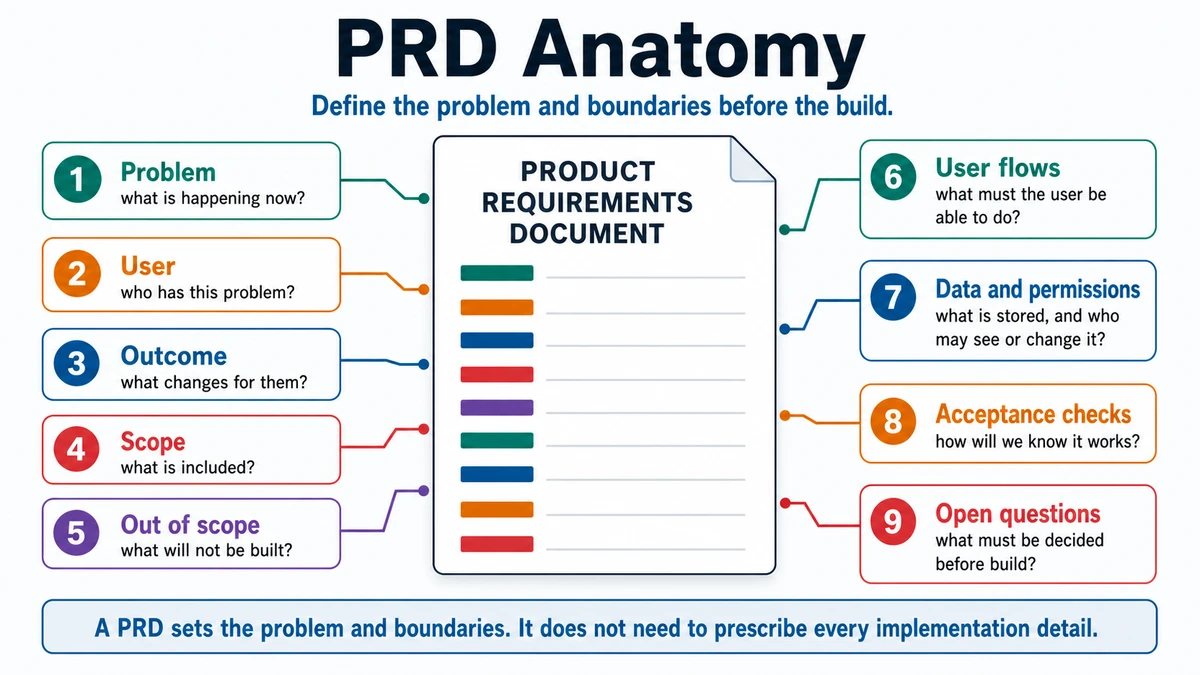
PRD Anatomy
A product requirements document is annotated with problem, user, outcome, scope, out of scope, user flows, data and permissions, acceptance checks, and open questions. Prompt and review
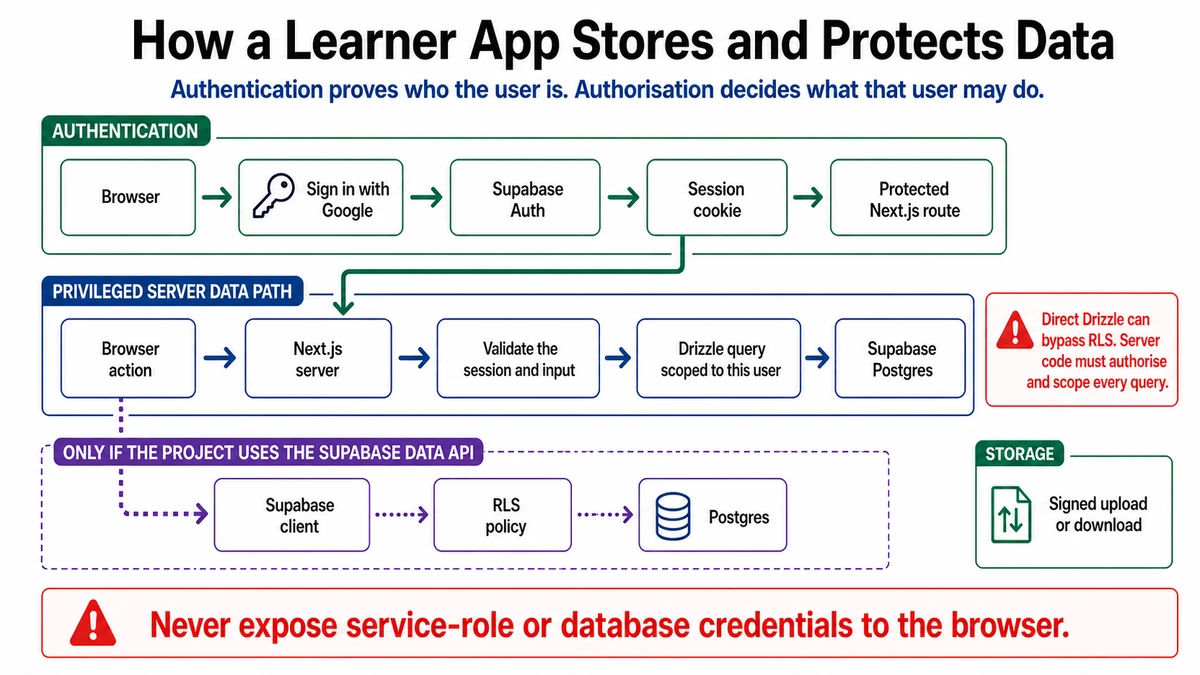
How a Learner App Stores and Protects Data
Google sign-in creates a Supabase session while a separate privileged server data path validates the session and scopes each Drizzle query to the current user. Prompt and review
Doing it well
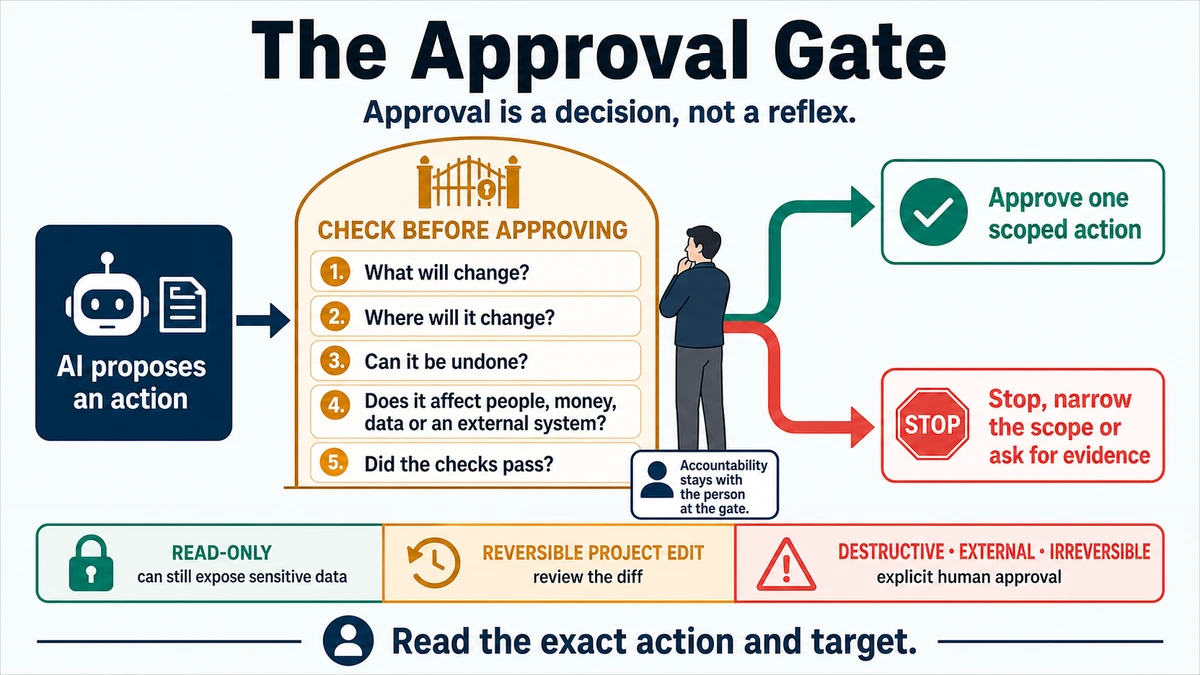
The Approval Gate
An AI-proposed action reaches a human gate that checks the change, target, reversibility, impact, and evidence before one scoped approval or a stop. Prompt and review
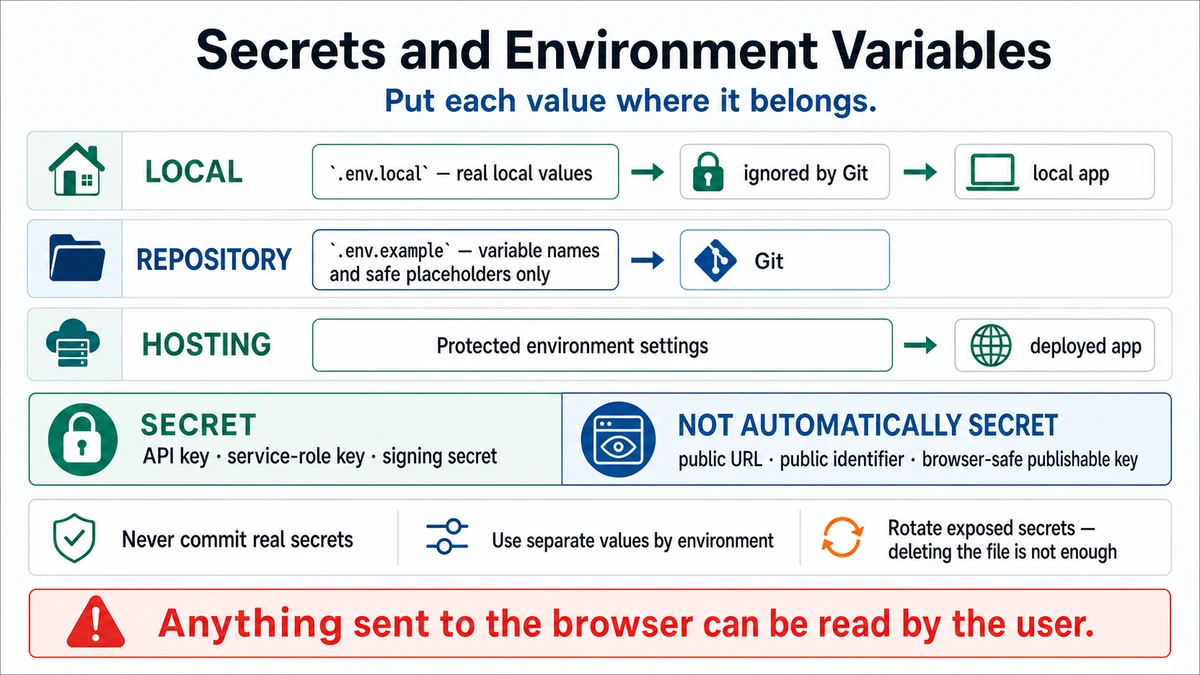
Secrets and Environment Variables
Local, repository, and hosting lanes place real values, safe placeholders, and protected deployment settings in different locations. Prompt and review
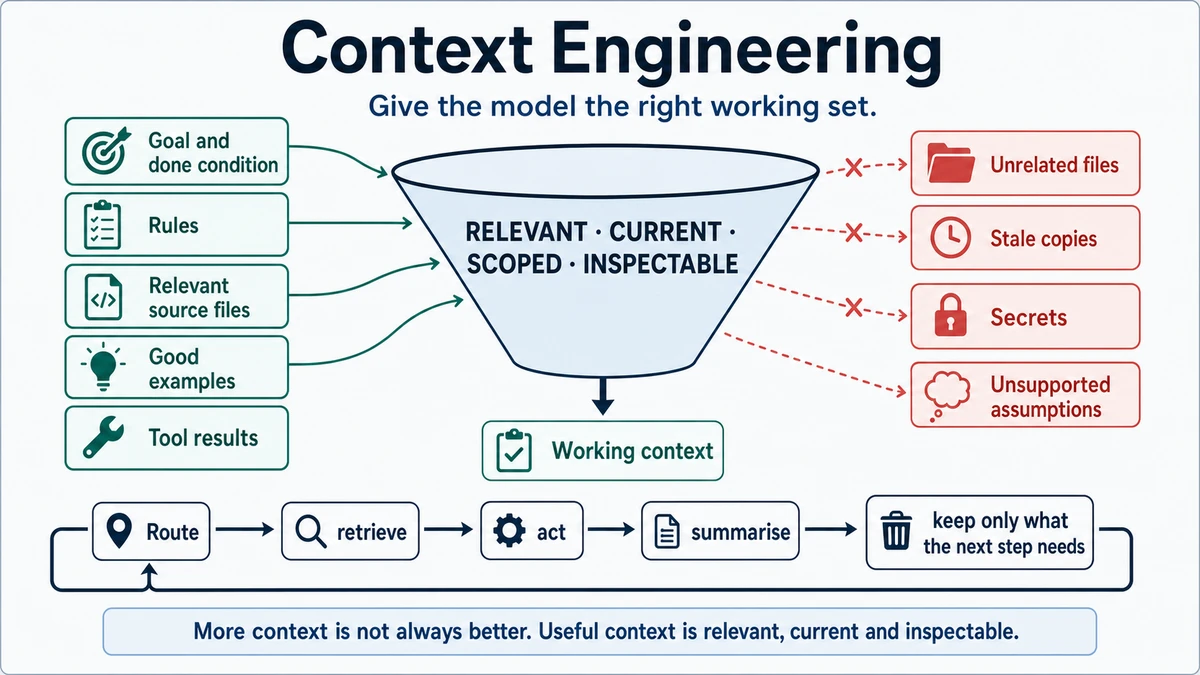
Context Engineering
Goals, rules, relevant files, examples, and tool results enter a scoped working context while unrelated files, stale copies, secrets, and unsupported assumptions stay out. Prompt and review
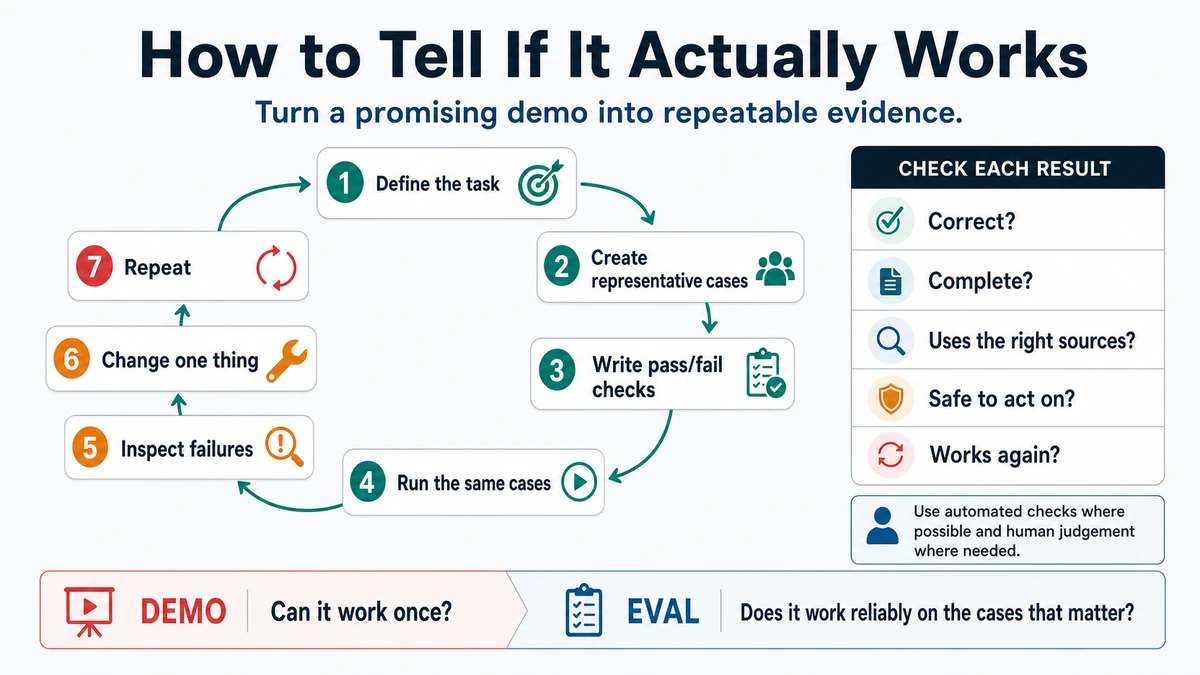
How to Tell If It Actually Works
A repeatable evaluation loop defines tasks and representative cases, writes checks, runs the same cases, inspects failures, changes one thing, and repeats. Prompt and review