Commit, diff, branch, restore
Inspect changes, stage only intended files, create a meaningful commit, and understand recovery before discarding work.
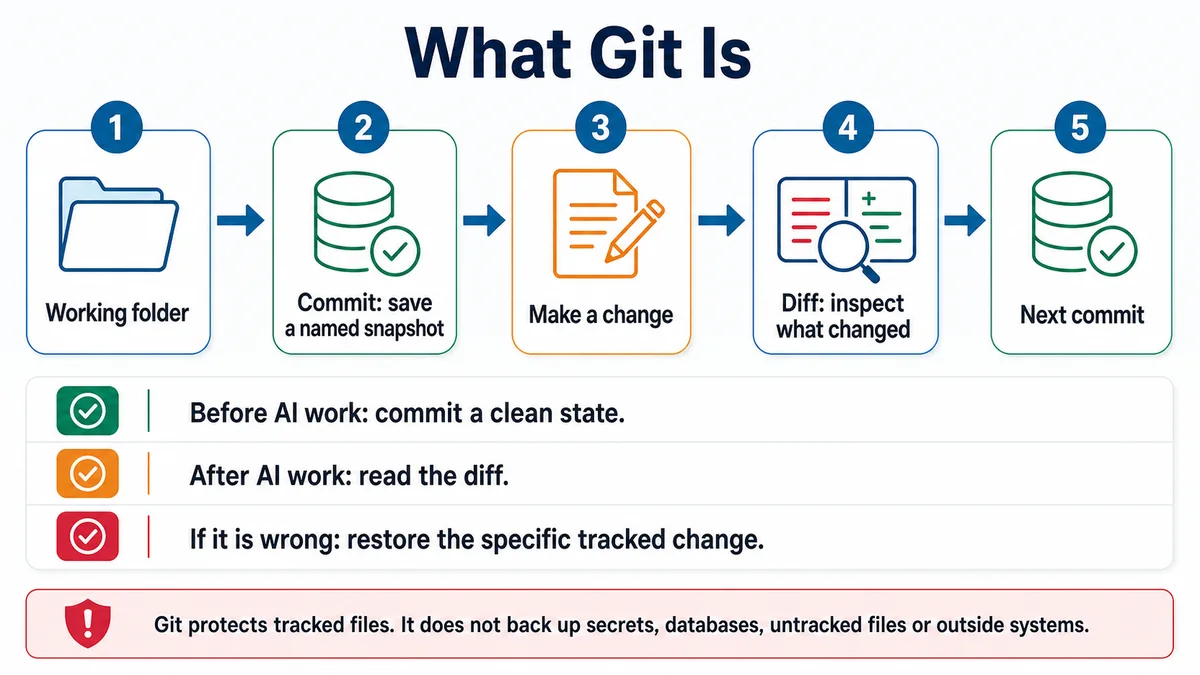
Requires: A Git repository containing a small intentional change and no unknown work you are prepared to overwrite.
Done when: The intended change is committed on the expected branch, the commit diff is correct, and the working tree contains no unexplained changes.
Step 0 — Check the ground
Inspect before changing Git state:
git status --short
git branch --show-current
git diff
Stop if the branch is unexpected, the output includes secrets, or you cannot explain every changed and untracked file. Existing changes belong to whoever made them.
Steps
- Think of Git as local history. A commit records the staged snapshot; it does not automatically send anything to GitHub.
- Review content and simple whitespace errors:
git diff
git diff --check- Stage only named files:
git add path/to/fileReplace the placeholder with the exact file. Avoid broad staging until you can account for every change.
- Review the staged snapshot:
git diff --cached
git status --short- If the staged set is wrong, unstage a file without discarding its working copy:
git restore --staged path/to/file- Commit the reviewed snapshot:
git commit -m "Describe the result this save point proves"- Inspect the saved result:
git show --stat --oneline HEAD
git status --short- Create a branch before a separate line of work when the project workflow calls for one:
git switch -c descriptive-branch-nameBranch names, review flow, and default-branch rules belong to the project; inspect them first.
- Treat restoration carefully.
git restore path/to/filecan discard uncommitted file changes. Preview the diff and get approval before using it. A commit does not protect untracked or unstaged work that was never saved. - Ask for a save-point review:
Context: I want a Git save point for [milestone]. Inspect only.

Review git status, unstaged diff, staged diff, current branch, and recent
commit. List:
- files that belong in this milestone,
- files to leave untouched,
- generated files or possible secrets,
- checks that should pass before commit,
- a concise commit-message proposal,
- safe recovery if the commit is not correct.

Do not stage, commit, restore, reset, switch branches, or push.
Approval gate
The human reviews the staged diff before commit. Any action that discards uncommitted changes, rewrites history, deletes a branch, or affects a remote requires a separate approval and recovery plan.
Verify
The latest commit contains only the intended files, the milestone checks pass, and git status --short contains nothing unexplained.
The official Git sources describe staging and commits as snapshots.
Save point
The commit is the save point. Record what it proves in the message and, when needed, a review note. A useful commit is small enough to inspect and complete enough to restore.
If it fails
- A secret is staged: unstage it, remove it from the working file, verify ignore rules, and rotate the secret if it was exposed elsewhere.
- The wrong file is staged: use
git restore --stagedfor that exact path. - The commit includes the wrong content: stop before pushing and inspect safe correction options for the project's collaboration state.
- Uncommitted work disappeared: do not run more cleanup. Check editor local history, backups, Git objects, and the exact command that ran.
- Git reports a conflict: preserve both sides, read the conflict markers, and resolve deliberately; do not accept all of one side without review.