Deploy through GitHub and Vercel
Push the reviewed landing-page commit to GitHub, import it into Vercel, and verify the production result.
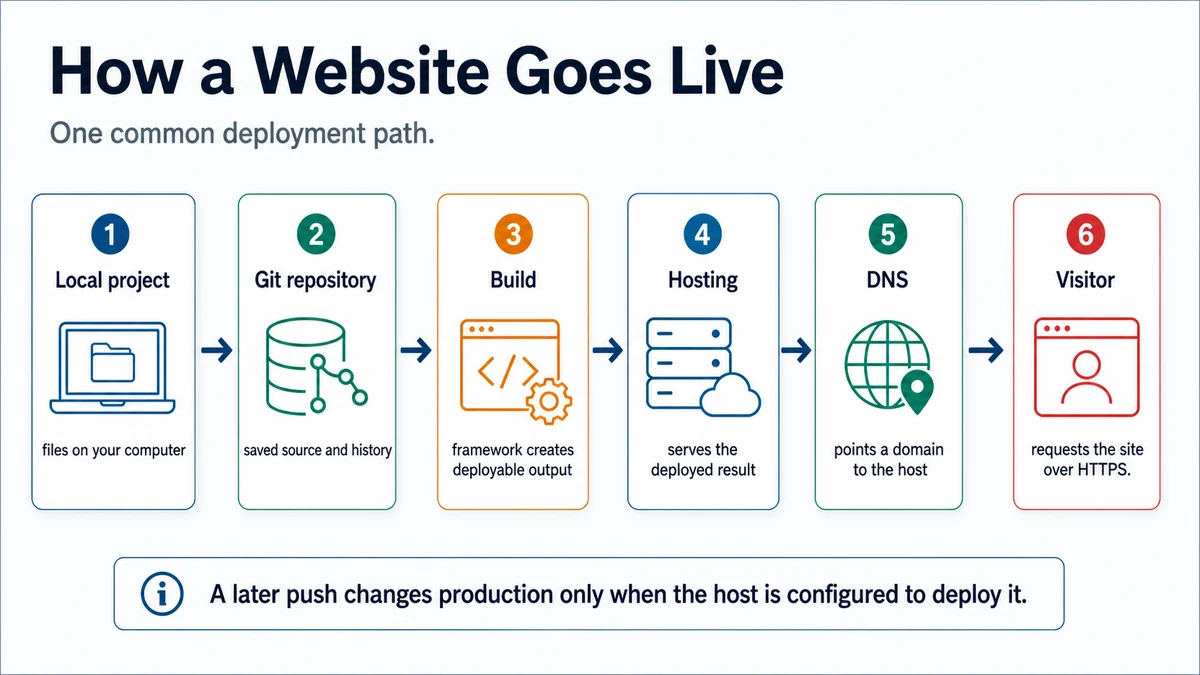
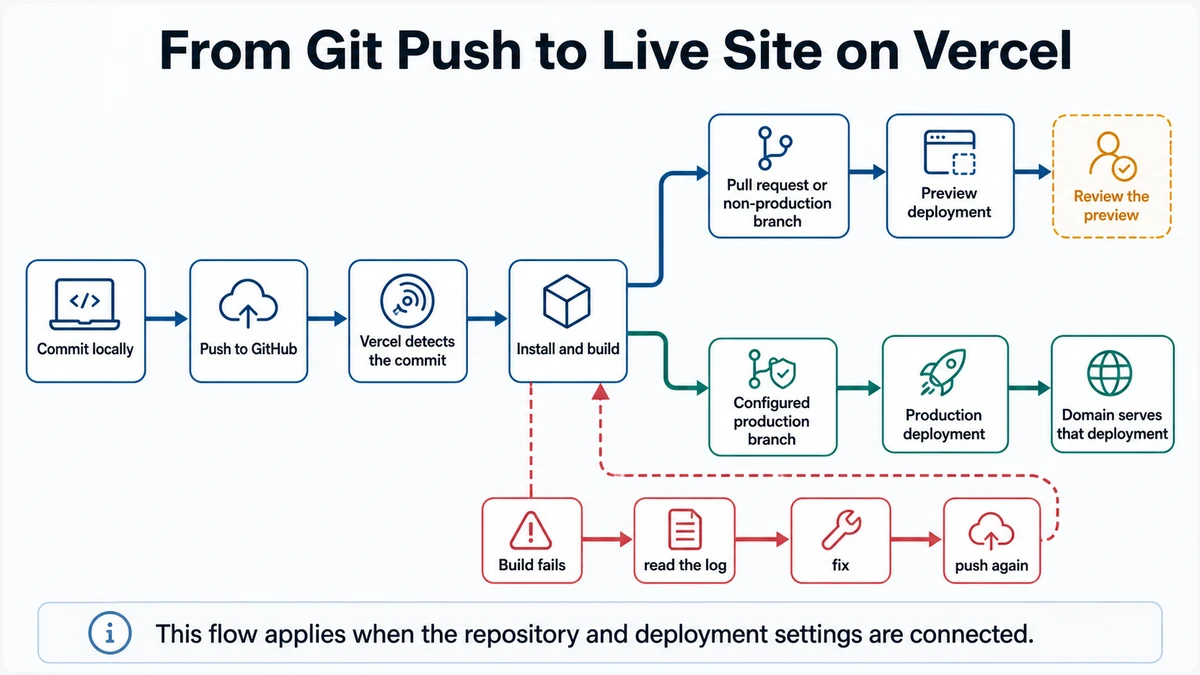
Requires: A reviewed commit, a GitHub repository with intentional visibility, a Vercel account, and authority to create a production deployment.
Done when: GitHub shows the reviewed source, Vercel has deployed that commit, and the production URL passes the critical checks.
Step 0 — Check the ground
Run git status and git log -1 --oneline. Stop if there are uncommitted changes, the displayed commit is not the reviewed one, the repository includes private source, or you cannot explain its visibility.
Prepare the deployment
- Inspect the tracked-file list and search for credentials, local environment files, private source, participant data, and absolute local paths.
- Prepare the report below without creating a repository, changing a remote, pushing, importing, or deploying:
Context: Prepare this reviewed Astro repository for GitHub and Vercel. Do not
push or deploy.

Inspect tracked files, .gitignore, package scripts, Astro configuration, and
the reviewed commit. Report:
- anything private or credential-like;
- the expected Vercel root, build command, and output;
- environment variables actually required by source;
- production checks;
- exact Git commands proposed.

Stop after the report. Deployment requires human approval.
Approval gate
The owner approves repository visibility and the exact commit to push. Before the Vercel action, they approve the repository, production branch, settings, external access, and any environment variables. Deployment is an external write; the agent does not infer permission.
Steps
- Create or confirm the intended GitHub repository. Add its URL as
originonly after checking the account and repository name. - Push the reviewed branch and confirm the matching commit on GitHub.
- In Vercel, import that GitHub repository. If Astro lives in
site/, choose that reviewed root directory. - Review the detected framework, build command, output, environment variables, production branch, and repository access before confirming the deployment.
- Create the deployment and read the build log. Vercel can create deployments from connected Git pushes; review the project's production-branch behavior in the Vercel Git documentation (checked 2026-07-25).
- Open the production URL. Repeat the primary CTA, route, asset, narrow/wide, title/description, and missing-route checks.
- Record live URL, repository, deployed commit, and owner in the
launch-checklist.md.
Verify
- GitHub and Vercel display the reviewed commit.
- The deployment log completes without hidden warnings being dismissed.
- The live URL loads its assets over HTTPS.
- The primary CTA and all required routes work.
- The live result is checked at narrow and wide widths.
- No secret appears in source, logs, or browser-delivered code.
Save point
Record the deployment URL and commit in the launch checklist. Tagging a release is optional; the immutable commit is the rollback reference.
If this fails
- Push is rejected: verify account, remote URL, branch, and repository state before changing history.
- Vercel cannot find the project: confirm the root directory and that its
package.jsoncontains the build script. - Build fails only on Vercel: compare runtime, lockfile, environment, and case-sensitive paths with local.
- Production differs from local: confirm the deployed commit and run a clean local production build.
- A secret was exposed: revoke it first, remove it from current and historical source with appropriate review, then redeploy.