Node, npm, Bun, and dependencies
Identify the runtime, package manager, manifest, lockfile, install step, and project scripts before changing dependencies.
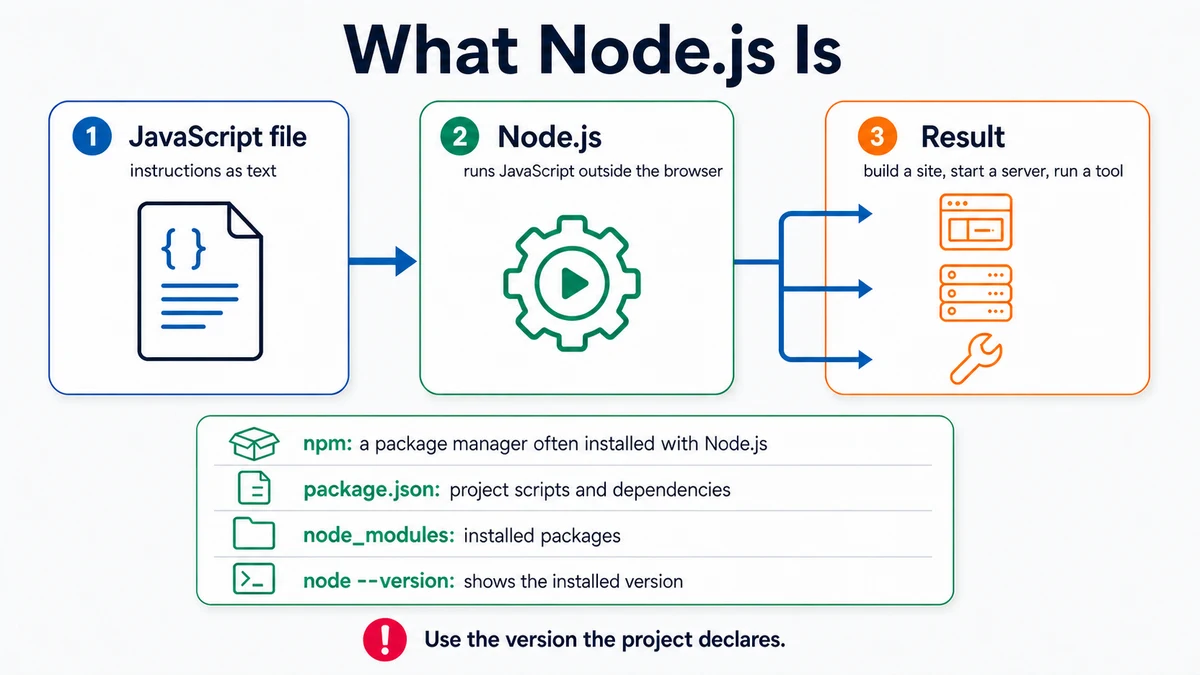
Requires: A JavaScript project folder with its package.json, README, and any existing lockfile.
Done when: You can name the project's runtime and package manager, explain what an install changes, and run an existing verification script without mixing package managers.
Step 0 — Check the ground
Inspect, do not install:
node --version
git status --short
Then look for package.json, its optional packageManager field, the README, and exactly which lockfile is present. Stop if the project already has unrelated changes or if different files give conflicting package-manager instructions.
Steps
- Keep the roles separate:
- Node.js is a JavaScript runtime used by many build tools and servers.
- npm, Bun, and other package managers resolve and install declared packages and run project scripts.
package.jsondeclares metadata, scripts, and dependency ranges.- A lockfile records the resolved dependency graph for reproducible installs.
node_modules/commonly contains installed package files and is normally generated, not hand-edited or committed.
- Follow the repository's chosen package manager. Do not run npm in a Bun-pinned project or generate a second lockfile just because another command is familiar.
- Read the available scripts:
npm runUse the equivalent listing or the manifest itself when the project uses another package manager. Do not assume every project defines dev, test, or build.
- Understand the install before approving it. An install can contact a package registry, populate generated dependency files, update a lockfile, and in some ecosystems run package lifecycle scripts. Read the package manager's current documentation and the diff afterward.
- Prefer the frozen or reproducible install command documented by the project for automated environments. The exact command depends on its package manager and lockfile.
- Run only an existing script from
package.json, for example:
npm run buildbuild is only an example. Use the exact script name declared by the project.
- Ask for an install plan:
Context: Inspect this project's README, package.json, package-manager field,
and lockfiles. The task is [task].

Do not install or edit. Report:
1. required runtime and where that requirement is declared,
2. chosen package manager and lockfile,
3. exact existing scripts relevant to the task,
4. whether an install is necessary,
5. files and network access the install may affect,
6. the project's reproducible-install command from official docs or config,
7. checks and diff review after installation.

Stop on conflicting lockfiles or undocumented version assumptions.
Approval gate
A human approves adding, removing, or upgrading a dependency after reviewing why it is needed, its exact package name, maintenance and security implications, lockfile changes, and verification plan.
Verify
- Only the expected lockfile exists.
git diffshows no unexplained manifest or lockfile change.- The relevant existing script finishes successfully.
- The project starts or builds using the documented package manager.
See the dated Node and package-manager sources.
Save point
Commit package.json and the chosen lockfile together when dependency state intentionally changes. Do not commit node_modules or a credential-bearing registry configuration.
If it fails
- Runtime version is incompatible: use the version declaration or project documentation; do not upgrade the whole project blindly.
- Two lockfiles exist: stop and determine which one the repository uses before deleting either.
- Install changed more than expected: inspect the manifest and lockfile diff before retrying.
- A lifecycle script fails: read the exact package output and official documentation; do not disable security controls without understanding the consequence.
- A script name is missing: do not invent it. Read
package.jsonand the project README.