Build the Astro site in milestones
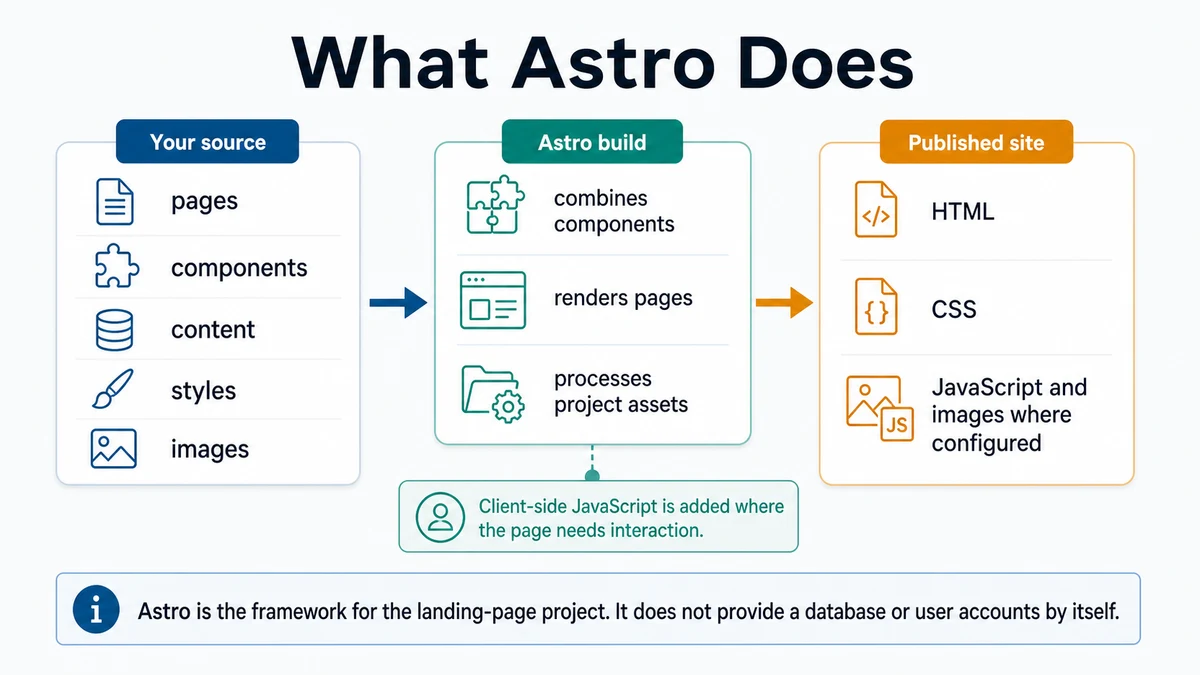
Scaffold Astro and implement the approved landing page in small, running, reviewable milestones.
Requires: An approved implementation plan, a clean Git status, Node and npm working, and a known rollback commit.
Done when: The Astro site runs locally, the approved content and design are implemented, and each milestone has a checked diff or commit.
Step 0 — Check the ground
Run git status and node --version. Stop if you are in the wrong folder, do not recognize existing changes, or your installed Node version does not meet Astro's current requirement. The Astro installation guide is the source of truth; it was checked for this lesson on 2026-07-25.
Prepare the change
- Ask the agent to state the next milestone, proposed command, destination, changed files, and verification without acting.
- Use
site/as the example Astro directory. Confirm in the file tree that it does not exist. If it exists, stop and choose another explicitly reviewed new directory; do not scaffold over it. - Review Astro's current installation instructions and CLI reference. Record the intended installer choices: minimal starter, install dependencies, and do not create a second nested Git repository.
Context: Read AGENTS.md if present, then the approved brief, knowledge base,
design rules, implementation plan, and current diff.

Plan only milestone [NAME]. Do not install, scaffold, or edit. Report:
1. files you will change;
2. commands you will run and what each changes;
3. the observable check for completion.

Use supplied content; do not invent copy or dependencies. Stop with the plan
and unresolved human decisions.
Approval gate
Approve the new site/ destination, npm, the current installer command, wizard choices, and proposed dependencies. The destination must be new and empty. Before each later milestone, approve its file scope. Do not run the installer or write site code until this gate passes.
Steps
- Scaffold into the approved new directory:
npm create astro@latest siteIf the installer reports that site/ exists or proposes overwriting anything, cancel.
- Keep the first milestone small: a running minimal Astro shell, shared layout, and tokens. Do not add a component framework without an approved need.
- Run the development server from
site/and open the printed local URL. - Implement one approved content group at a time, using exact material from
knowledge-base.md. - After each milestone: inspect the diff, run the planned check, open the affected route at narrow and wide widths, and commit.
- Keep discovered improvements in a follow-up list unless they block the definition of done.
- After each milestone, read the diff and browser evidence before authorizing the next.
Verify
At each milestone:
- From
site/,npm run buildpasses, or the plan records why only a narrower check applies. - The affected route opens without a console error.
- Content comes from the approved knowledge base.
- Narrow and wide layouts follow
design.md. git diffcontains only expected files.
Save point
Commit each working milestone with the evidence it proves, such as feat: add approved landing-page content. Never bundle an unexplained install, all page content, and final polish into one opaque commit.
If this fails
- The scaffold says
site/exists: cancel and inspect it. Choose another reviewed new directory or deliberately plan how to use the existing project; never make the installer resolve the conflict for you. - The install fails: record the first error, Node/npm versions, and current directory. Fix the first cause rather than rerunning blindly.
- The agent changes too much: stop, inspect the diff, restore from the last approved save point only after confirming the exact files.
- The page looks wrong: compare one rule and one component at a time; do not request a full redesign during implementation.