See the whole web stack
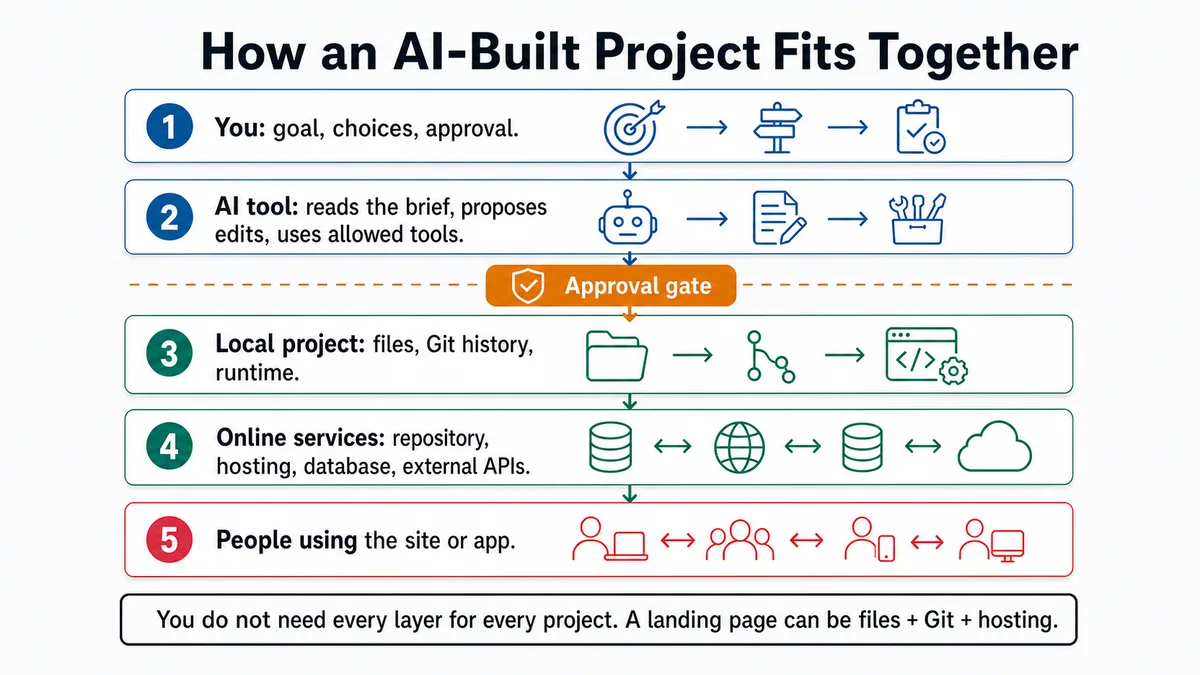
Place the browser, framework, repository, deployment host, domain, authentication, and database in the correct layers.
Requires: A proposed landing page or application and the list of services it may use.
Done when: You can trace one user action through the correct layers, identify where code and data live, and name which external changes require approval.
Step 0 — Check the ground
Draw the intended user action in one sentence, such as “a visitor opens the home page” or “a signed-in user creates their own record.” Stop if no one has decided whether the project is a public content site or an authenticated data application.
Steps
- Place the layers:
| Layer | Course choice | Job |
|---|---|---|
| Browser | The visitor's device | Requests, renders, and interacts with the site |
| Frontend framework | Astro for the landing page; Next.js for the app | Turns source and data into routes and interface |
| Local runtime and packages | Project-declared Node/package-manager toolchain | Builds or serves the project |
| Version history and collaboration | Git and GitHub | Records and reviews source changes |
| Deployment host | Vercel in both project routes | Builds a commit and serves the result |
| Domain and DNS | Optional launch layer | Maps a human-readable name to the deployed service |
| Authentication | Supabase Auth on the app route | Establishes user identity and session |
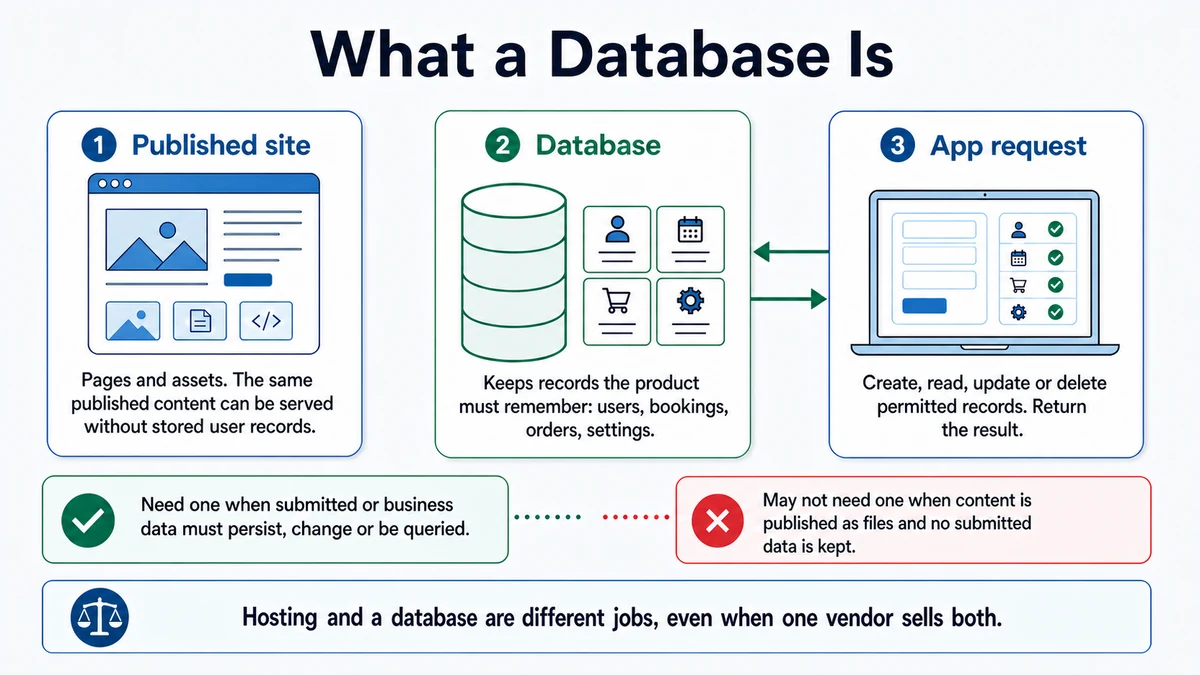
| Database | Supabase Postgres on the app route | Stores structured application data |
- Trace a landing-page request:
source commit → Vercel build → deployed files or server output
                              ↓
domain/DNS → Vercel → browser
GitHub holds reviewed source history. It is not the runtime host in this taught route.
- Trace a protected app action:
browser → Next.js route or server action → authenticate and validate
        → authorized database operation → response → browser
Authentication answers “Who is this?” Authorization answers “May this identity access this record?” A database connection does not supply either answer by itself.
- Distinguish build-time and runtime configuration. A public site can often prebuild content. An authenticated app normally needs server-side runtime work and environment variables. Follow the framework and host's current documentation for the chosen route.
- Distinguish code deployment from database migration. Pushing a new application commit does not prove that a schema migration was reviewed or applied.
- Ask for a one-action architecture map:
Context: The project is [landing page/app]. The user action is [action].
Proposed services are [services]. The authoritative source and data are
[locations].

Map the action from browser to response. For each hop, state:
- system and responsibility,
- data sent and returned,
- identity and authorization check,
- environment or secret required,
- log or evidence available,
- failure shown to the user.

Separate local, preview, and production. Separate code deployment from
database migration. Mark unused services and unsupported assumptions.
Approval gate
A human approves new external services, account ownership, data location, domain or DNS changes, authentication configuration, migrations, environment variables, and production deployment. Each gate names the target environment.
Verify
Point to each layer for one real request:
- exact source commit;
- successful build and deployment;
- deployed URL and optional domain;
- server boundary for privileged work;
- identity and authorization check;
- database record and ownership, if applicable;
- failure evidence at each hop.
Use the dated framework, hosting, and database links in Sources.
Save point
Save the approved architecture map with the implementation plan. Record production deployment and migration evidence against exact commits or migration identifiers.
If it fails
- The browser contains a server secret: remove it, rotate it, and move privileged work behind a server boundary.
- The domain fails but the deployment URL works: inspect DNS and domain configuration separately from the app.
- The deploy succeeds but the database action fails: inspect runtime environment, authentication, authorization, connection mode, and migration state.
- Preview works but production fails: compare environment-specific configuration and redirect URLs without copying secrets into logs.
- The architecture includes unused services: remove them from the core plan until the PRD names a need.