Work in a project folder
Open one project root and locate source, assets, configuration, terminal, version-control changes, and agent activity.
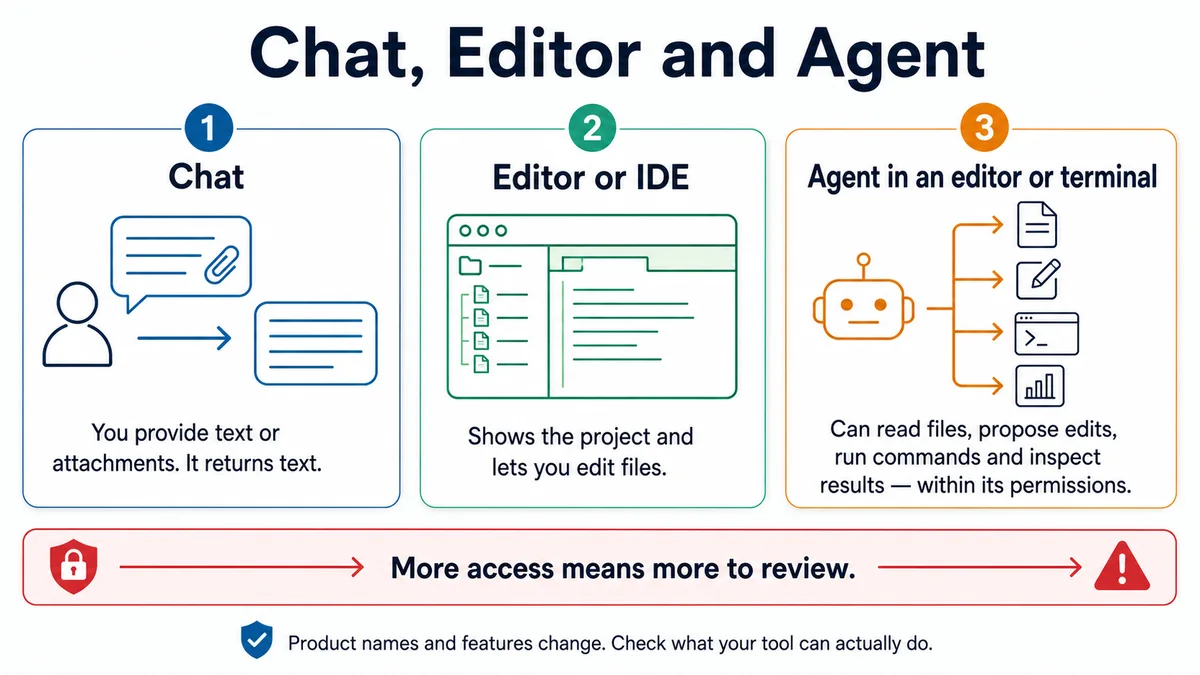
Requires: The exact folder approved in Start here and an editor or project-aware coding workspace.
Done when: You can point to the project root, source, public assets, configuration, ignored local settings, terminal, diff view, and agent panel without searching the whole computer.
Step 0 — Check the ground
Open the intended project folder itself, not the Desktop, home directory, or a parent containing several projects. Stop if the editor shows unrelated repositories or private folders.
Steps
- Identify the project root. Common root clues include
.git,README.md,package.json, and a lockfile. Hidden files may need to be shown in the editor. - Build a small map before editing:
| Area | Typical role |
|---|---|
src/ or app/ | Source code and routes |
public/ | Files copied to stable public URLs |
assets/ or source asset folders | Images or styles processed by the build |
package.json | Project metadata, scripts, and declared dependencies |
| Lockfile | Exact resolved dependency graph for the chosen package manager |
.gitignore | Paths Git should not track |
.env.example | Placeholder variable names safe to commit |
Local .env* file | Real local configuration; normally ignored |
This is a pattern. Read the project's README and existing structure instead of forcing these names onto every repository.
- Locate five workspace controls:
- file tree;
- editor;
- integrated terminal;
- version-control or diff view;
- agent/chat panel and its permission settings.
- Use the file tree for location and search for references. Do not move a file merely to make the tree look tidy; imports, links, routes, and build rules may depend on its path.
- Ask for a read-only map:
Context: The approved project root is [path].

Inspect only. Do not edit, move, install, generate, commit, or run the app.
Return a concise map of:
- project purpose from the README,
- source and route folders,
- static and processed asset locations,
- configuration and scripts,
- package manager and lockfile,
- local environment files and whether Git ignores them,
- test and build entry points,
- generated folders that should not be hand-edited.

Mark anything uncertain instead of guessing from its name.- Compare the map with the actual files and project README. Correct it before using it as agent context.
Approval gate
Before moving, renaming, generating, or editing across several files, a human confirms the project map, exact target paths, references that must change, and verification command.
Verify
Close the global search. From the file tree alone, locate:
- the page or route you will change;
- one asset it uses;
- the script that runs the project;
- the lockfile;
- the diff view;
- the ignored local environment file, if one exists.
You pass when every item belongs to the same project root.
Save point
Save the verified map in a planning note when the project is unfamiliar or complex. Do not add private absolute paths or real environment values to a public repository.
If it fails
- The editor opened too broad a folder: close it and open only the project.
- Two folders look like project roots: run
git statusfrom each and read their READMEs before choosing. - A file is generated: edit its source, not the generated copy.
- The agent cannot see a needed file: add that file or narrow folder explicitly; do not grant broad computer access.
- A moved asset breaks links: restore the known-good state or update every verified reference, then rebuild.