Put history online
Distinguish local Git from GitHub, confirm repository visibility, push the intended branch, and review proposed changes before merge.
Requires: A local repository with a reviewed commit, a GitHub account, and an explicit decision about repository visibility.
Done when: The correct branch and commit appear in the correct GitHub repository, no secret is present, and the proposed change has been reviewed before merge.
Step 0 — Check the ground
Inspect without writing to GitHub:
git status --short
git branch --show-current
git remote -v
git log -1 --oneline
Stop if the remote owner, repository name, protocol, branch, or latest commit is not the one you intend to publish.
Steps
- Keep the systems separate:
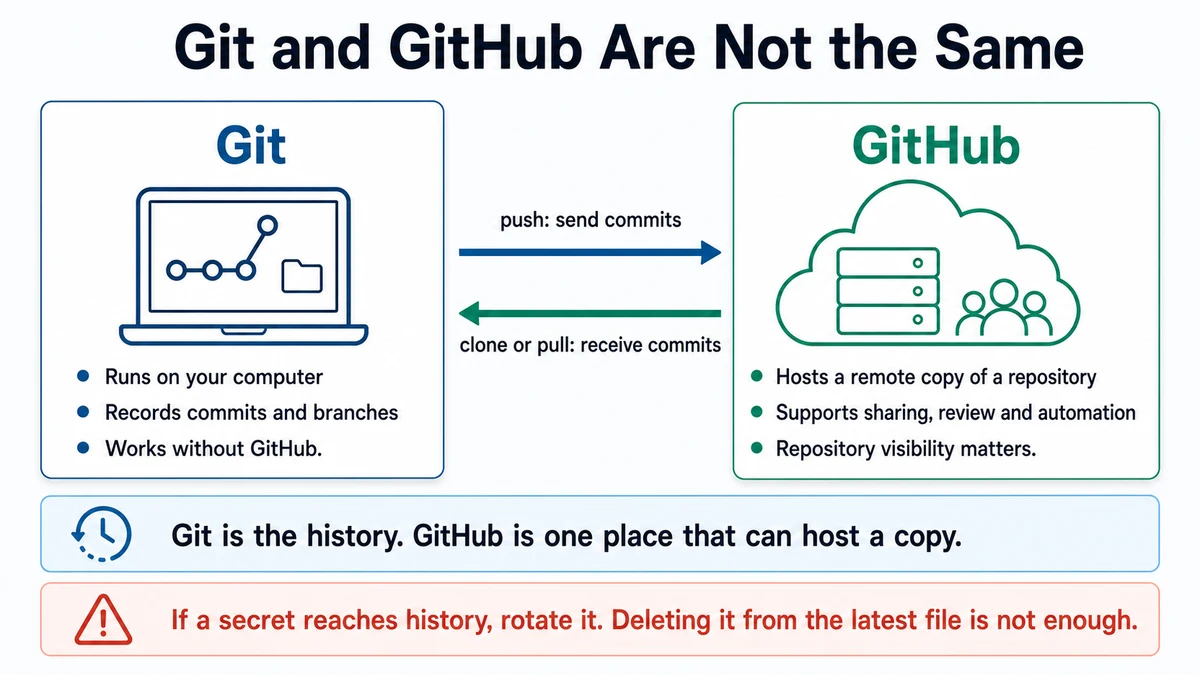
- Git records history in the local repository.
- GitHub hosts a remote copy and collaboration features such as pull requests and reviews.
- Confirm visibility in GitHub before the first push. A public repository exposes its tracked content to anyone. A private repository still needs careful collaborator and deployment access.
- Check for material that must not leave the machine:
- real
.envfiles and credentials; - private source documents;
- participant or customer data;
- local absolute paths;
- generated logs containing sensitive values.
- real
- If the correct remote is already configured, push the reviewed current branch:
git push -u origin your-branch-nameReplace the placeholder with the exact branch printed by git branch --show-current. A push is an external write and requires approval.
- On GitHub, compare the commit identifier and changed files with the local review.
- Use a pull request when changes should be proposed before reaching the default branch. In Files changed:
- read the whole diff;
- inspect unexpected generated or binary files;
- check automated results;
- test the preview if one exists;
- comment on specific problems;
- approve only the reviewed state.
- Merge only when the project checks and human approval are complete. A green automated check cannot verify product truth or visual judgment by itself.
- Ask for a publication checklist:
Context: I plan to publish branch [branch] from local repository [name] to
GitHub repository [owner/name] with visibility [public/private].

Inspect only. Do not change remotes, stage, commit, push, open a pull request,
merge, or alter repository settings. Verify:
- local root, branch, latest commit, and remote,
- clean or explained working state,
- tracked secret and private-data risks,
- files in the proposed diff,
- checks required before push,
- GitHub review steps after push.

Finish with PASS or STOP and the exact reason.
Approval gate
A human approves the repository owner, name, visibility, branch, commit, and public-safety check before push. Opening or merging a pull request and changing repository access are separate approvals.
Verify
- The GitHub URL has the intended owner and repository.
- The remote branch shows the same latest commit as local.
- The Files changed view matches the reviewed diff.
- Required checks pass.
- The repository search does not reveal a real credential or private source.
Use the dated GitHub review sources for the current interface and workflow.
Save point
The reviewed remote commit and pull request are the collaboration save point. Record the production or release decision against the exact commit, not only a branch name that will move.
If it fails
- Push targets the wrong remote: stop; do not force-push. Confirm ownership and ask the repository owner how to remove the unintended copy.
- GitHub rejects authentication: use GitHub's current authentication guidance; do not paste a token into a shared prompt.
- A secret appears remotely: revoke it immediately, then coordinate history cleanup.
- A pull request contains extra commits: inspect its base and branch range before changing history.
- Checks pass locally but fail remotely: compare runtime, lockfile, environment variables, and the remote build log.