Chat, desktop, IDE, terminal, API
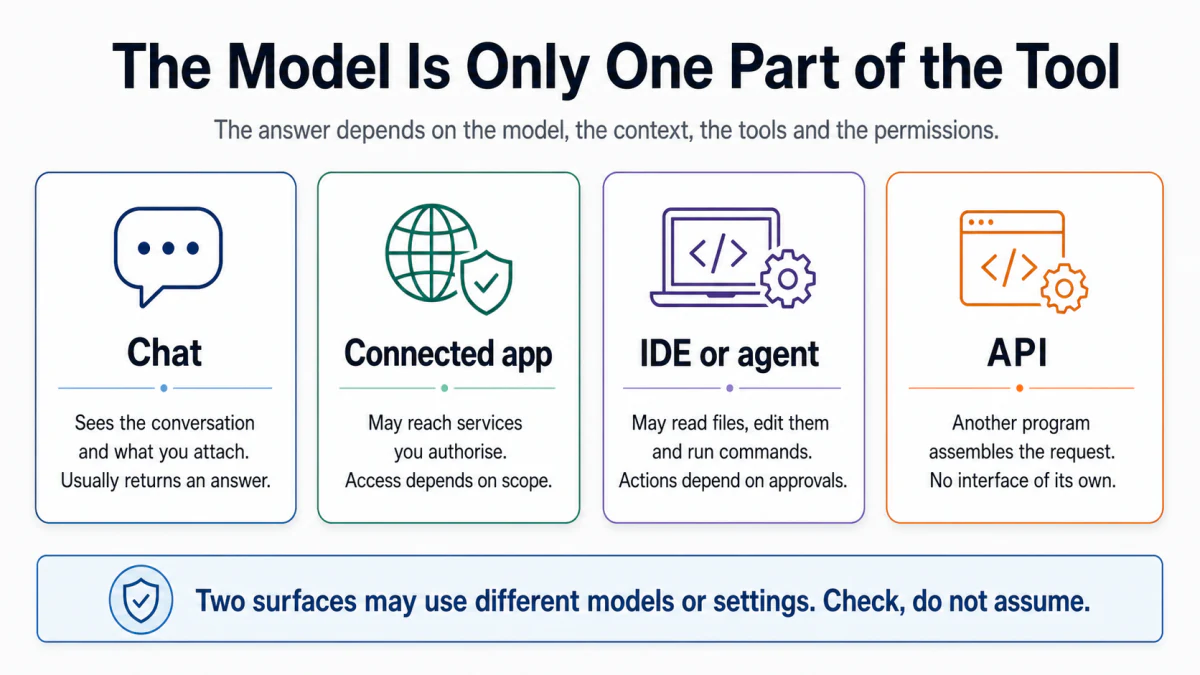
Choose between chat, desktop, IDE, terminal, and API surfaces by what each can see and change.
Requires: A task you might give to an AI tool and the model-output mental model.
Done when: You can name the surface, context, tools, permission boundary, persistence, and billing route for your task.
Step 0 — Check the ground
Write the intended action, not just the topic. “Discuss my repository” and “edit my repository” require different access. Stop if you cannot say what the system may change.
Steps
- Compare the surfaces:
| Surface | Typical strength | Main question |
|---|---|---|
| Chat | Conversation, drafting, analysis of supplied material | What did I actually provide, and what must be verified? |
| Desktop workspace | Local files plus connected tools, depending on permissions | Which folder and external systems can it reach? |
| IDE or coding agent | Project tree, diffs, terminal, tests | Which files and commands may it change or run? |
| Terminal agent | Direct command execution and local automation | What will this command change, and can it be recovered? |
| API | Repeatable calls controlled by your program | Where do credentials, usage limits, logs, and user data live? |
These are patterns, not guarantees. Inspect the actual product and its current settings.
- Fill in a permission map:
- Read: files, pages, repositories, messages, database rows.
- Write: local files, external records, commits, messages, deployments.
- Execute: commands, tests, migrations, browser actions.
- Persist: chat history, logs, generated files, remote data.
- Use the least powerful surface that can complete the job. A text explanation does not need repository write access. A code change benefits from a project-aware agent because you can inspect a diff and run tests.
- Separate model identity from surface identity. Two products can expose the same model with different instructions, context handling, tools, safety controls, and billing. Their results and risks can differ.
- Ask for a surface decision:
Context: The task is [exact task]. The allowed inputs are [inputs]. The
allowed changes are [changes]. The result must be saved [location] and pass
[checks].

Compare chat, a project-aware coding workspace, a terminal agent, and an API
implementation. For each, list required read/write/execute permissions,
human approval points, evidence produced, data exposure, and operational
overhead. Recommend the least powerful surface that can finish the task.
Do not assume a permission or feature that I have not listed.
Approval gate
A human confirms the chosen surface and its read, write, execute, external, and persistence permissions. Granting access to a folder does not authorize sending data elsewhere or deploying it.
Verify
Before starting, ask the tool to restate:
- the exact folder or system in scope;
- allowed reads and changes;
- actions requiring approval;
- the stopping condition.
You pass when the restatement matches your permission map.
Save point
Save the permission map with the task plan. In a repository, keep durable agent rules in its documented instruction file rather than relying on an old chat.
If it fails
- The tool cannot see required material: add only that material or use an approved connector.
- It can change more than necessary: narrow the folder, tool, or account scope.
- The surface hides what changed: move implementation work to a surface that produces diffs, logs, or other evidence.
- Billing is unclear: identify whether the work runs under a product subscription or API account before continuing.